
 TRAE-AI编程



OpenAI 图像生成
官方图像图库
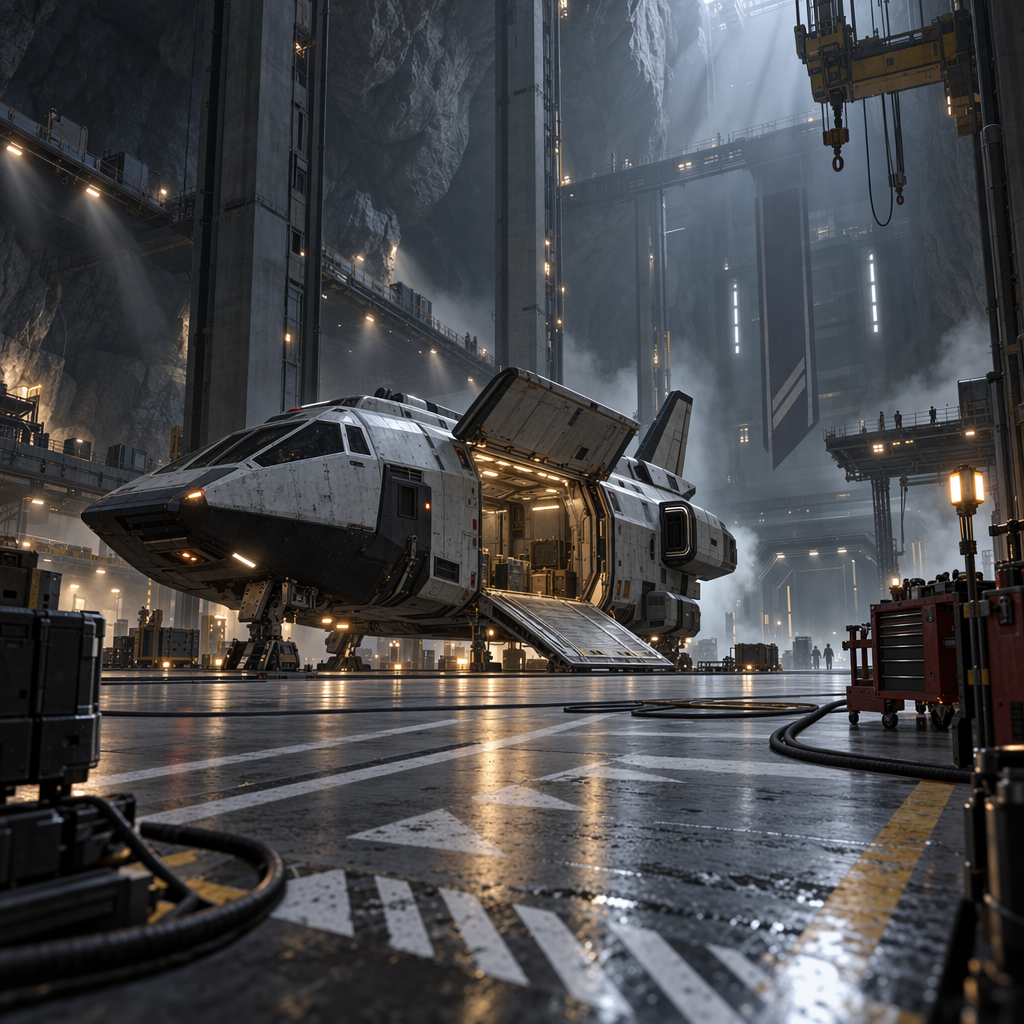
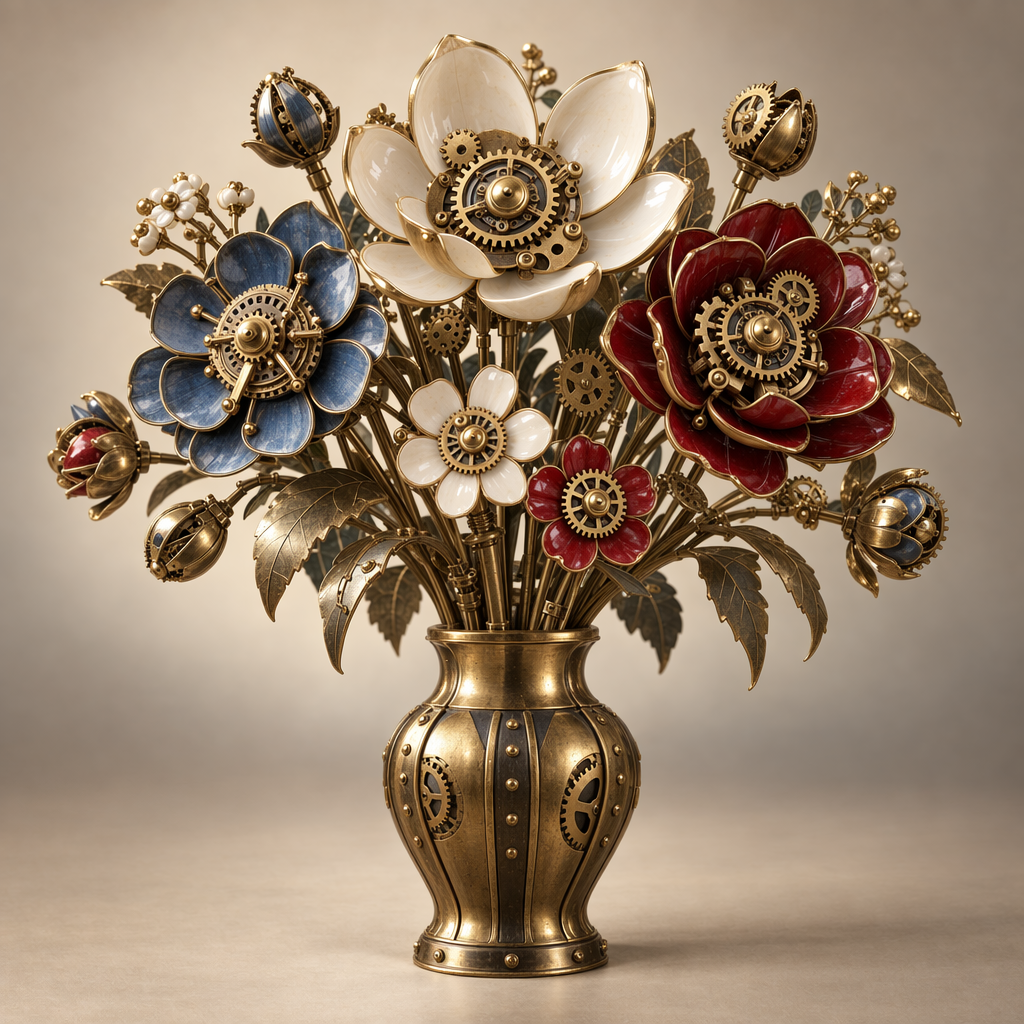
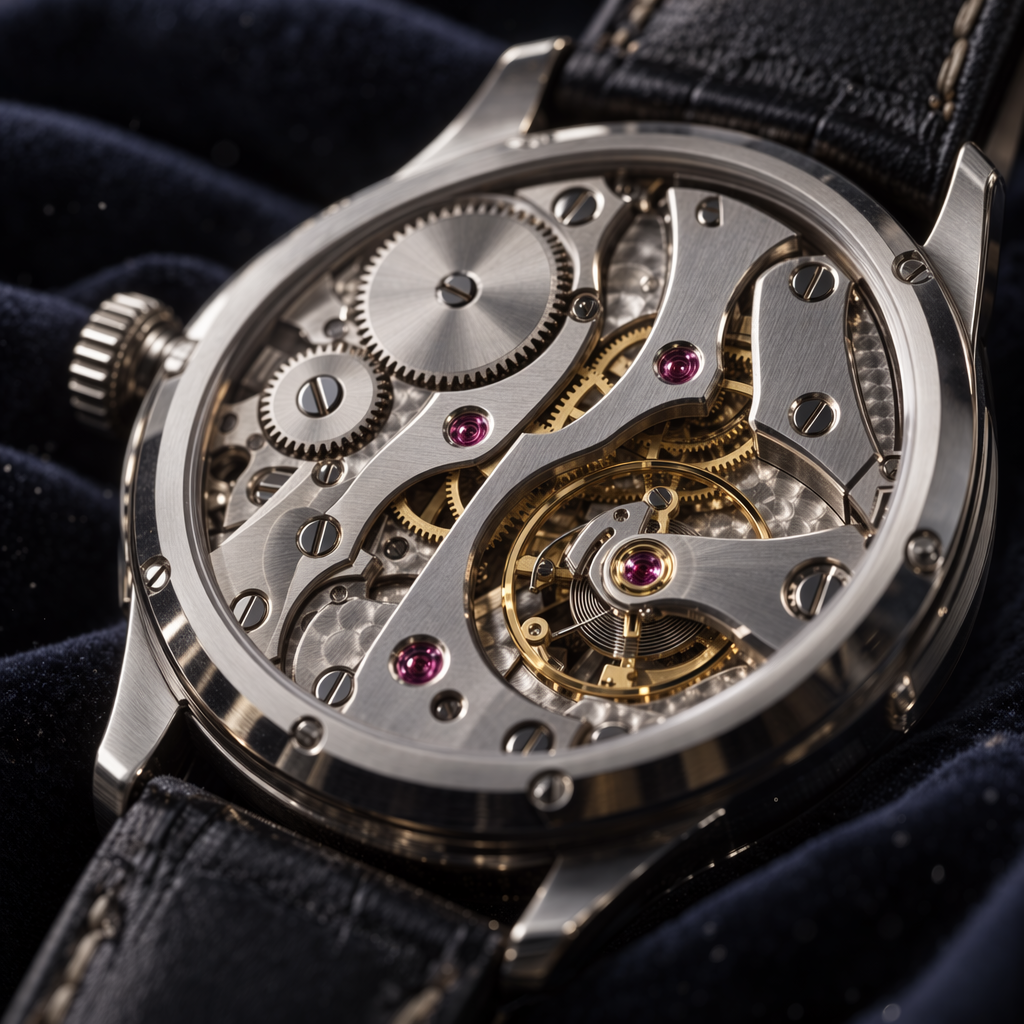
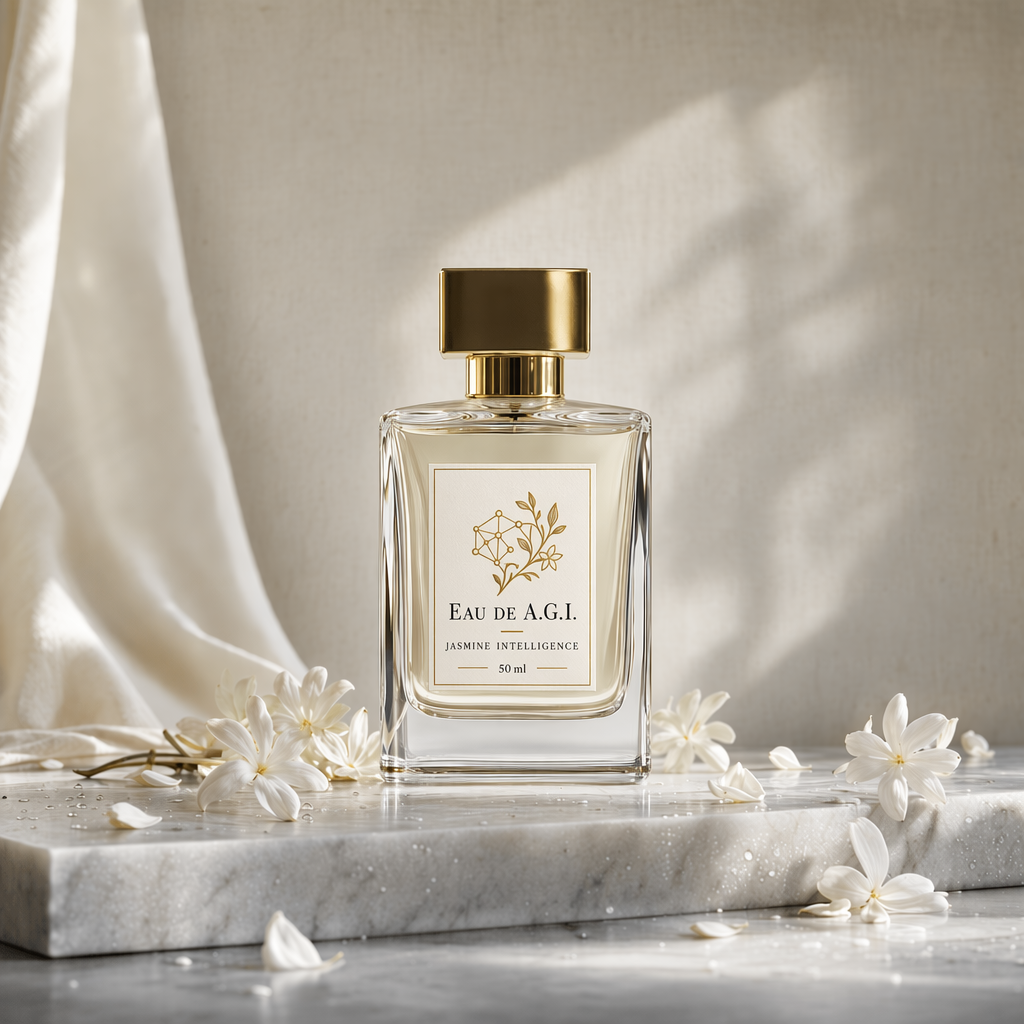
以下保留网页图库的16幅展示图,按原顺序提供中文说明;本地采用静态展示,图库的交互展开功能尚未复刻。


概述
API可通过文本提示,使用gpt-image-2.5-sunburst和gpt-image-2.5-flare生成或编辑图像。最重视编辑精度时选择Sunburst,日常需要快速、高质量生成时选择Flare。可通过两种API使用这些能力。
Images API
Images API提供两个用途不同的端点:
- Generations:根据文本提示从零生成图像。
- Edits:用新提示局部或整体修改已有图像。
Responses API
Responses API在对话或多步骤流程中生成图像,将其作为内置工具,并在上下文中接受图像输入与输出。与Images API相比,额外支持:
- 多轮编辑:通过后续提示持续进行高保真编辑。
- 灵活输入:除图像字节外,也接受文件ID。
可调用工具的主模型见支持模型。
选择合适的API
- 单个提示生成或编辑一张图像,优先使用Images API。
- 构建可对话、可继续编辑的GPT Image体验,使用Responses API。
Images API直接将model设为gpt-image-2.5-sunburst或gpt-image-2.5-flare。Responses顶层选择支持工具的主模型,再在图像工具的model字段指定Sunburst或Flare。两种API都能通过质量、尺寸、格式与压缩设置自定义输出。
使用GPT Image前,可能需要在开发者控制台完成API组织验证。
GPT Image 2.6
GPT Image 2.6包括用于精细视觉工作的Sunburst,以及用于快速迭代的Flare。两个模型都通过Images API支持复杂度控制、标注引导编辑、SVG输出和动画GIF输出。下方既有示例仍使用GPT Image 2.5。
设置图像复杂度
请求字段complexity控制模型在渲染前进行多少规划。较低复杂度可用于更换背景或招牌等局部编辑;较高复杂度可能有助于处理密集文字、复杂布局及物体关系,也可能增加延迟或引入不想要的变化,应按实际任务比较结果。
Sunburst和Flare均支持low、medium、high,省略时都使用high。独立的quality设置控制渲染质量。调整复杂度不单独收费。
以下剪纸足球场景由Sunburst使用相同提示词、medium质量生成。比较不同复杂度下奖杯、队服和“CHAMPIONS”标牌的位置。


安全标识符
应用服务于不同终端用户时,建议在每次生成或编辑请求中传入稳定、保护隐私的safety_identifier。可对用户名或邮箱做哈希,不直接发送身份信息;标识符不超过128个字符。该参数是建议使用,并非必填。
Images API的user参数已弃用,建议改传同一个标识符到safety_identifier;既有user请求仍受支持。非空safety_identifier优先;省略、设为null或空字符串时,API在有user的情况下使用它。

生成图像
可通过图像生成端点根据提示创建图像,或在Responses中使用图像生成工具将其纳入对话。输出选项见自定义图像输出。
Images API中可以用n一次生成多张,默认返回一张。
Images API示例:
来源示例1(javascript)
程序中的自然语言译释1:
儿童图画书风格:兽医用听诊器听小水獭的心跳。
// [中文] 调用Images生成端点,将文本提示交给图像模型,再把返回的Base64解码并保存;本段不同语言的提示不完全相同。
import OpenAI from "openai";
import fs from "fs";
const openai = new OpenAI();

const prompt = `
A children's book drawing of a veterinarian using a stethoscope to
listen to the heartbeat of a baby otter.
`;

const result = await openai.images.generate({
  model: "gpt-image-2.5-sunburst",
  prompt,
});

// Save the image to a file
// [中文] 取出返回的Base64图像数据。
const image_base64 = result.data[0].b64_json;
// [中文] 将Base64字符串解码为可写入文件的字节。
const image_bytes = Buffer.from(image_base64, "base64");
fs.writeFileSync("otter.png", image_bytes);
来源示例2(python)
本段复用的中文释义:译释1。
## [中文] 调用Images生成端点,将文本提示交给图像模型,再把返回的Base64解码并保存;本段不同语言的提示不完全相同。
from openai import OpenAI
import base64

client = OpenAI()

prompt = """
A children's book drawing of a veterinarian using a stethoscope to
listen to the heartbeat of a baby otter.
"""

result = client.images.generate(model="gpt-image-2.5-sunburst", prompt=prompt)

image_base64 = result.data[0].b64_json
## [中文] 将Base64还原为二进制图像字节。
image_bytes = base64.b64decode(image_base64)

## Save the image to a file
with open("otter.png", "wb") as f:
    f.write(image_bytes)
来源示例3(go)
本段复用的中文释义:译释1。
// [中文] 调用Images生成端点,将文本提示交给图像模型,再把返回的Base64解码并保存;本段不同语言的提示不完全相同。
package main

import (
    "context"
    "encoding/base64"
    "os"

    "github.com/openai/openai-go/v3"
)

func main() {
    client := openai.NewClient()
    result, err := client.Images.Generate(context.Background(), openai.ImageGenerateParams{
        Model: openai.ImageModel("gpt-image-2.5-sunburst"),
        Prompt: "A children's book drawing of a veterinarian using a stethoscope to " +
            "listen to the heartbeat of a baby otter.",
    })
    if err != nil {
        panic(err)
    }
    image, err := base64.StdEncoding.DecodeString(result.Data[0].B64JSON)
    if err != nil {
        panic(err)
    }
    if err := os.WriteFile("otter.png", image, 0o600); err != nil {
        panic(err)
    }
}
来源示例4(java)
程序中的自然语言译释2:
水彩画风格:机器人在图书馆读书。
// [中文] 调用Images生成端点,将文本提示交给图像模型,再把返回的Base64解码并保存;本段不同语言的提示不完全相同。
// [中文] 原例是API片段,使用前需已有client以及适当外层程序;本地仅保留源代码并检查注释,未独立编译。
import com.openai.client.OpenAIClient;
import com.openai.client.okhttp.OpenAIOkHttpClient;
import com.openai.models.images.ImageGenerateParams;
import java.io.IOException;
import java.nio.file.Files;
import java.nio.file.Path;
import java.util.Base64;

var images =
    client
        .images()
        .generate(
            ImageGenerateParams.builder()
                .model("gpt-image-2.5-sunburst")
                .prompt("A watercolor robot reading in a library")
                .build());

Files.write(
    Path.of("generated-image.png"),
    Base64.getDecoder().decode(images.data().orElseThrow().get(0).b64Json().orElseThrow()));
来源示例5(csharp)
本段复用的中文释义:译释1。
// [中文] 调用Images生成端点,将文本提示交给图像模型,再把返回的Base64解码并保存;本段不同语言的提示不完全相同。
using OpenAI.Images;

string key = Environment.GetEnvironmentVariable("OPENAI_API_KEY")!;
string model = "gpt-image-2.5-sunburst";
ImageClient client = new(model, key);

GeneratedImage image = await client.GenerateImageAsync(
    "A children's book drawing of a veterinarian using a stethoscope to "
        + "listen to the heartbeat of a baby otter."
);

await File.WriteAllBytesAsync("otter.png", image.ImageBytes.ToArray());
来源示例6(ruby)
程序中的自然语言译释23:
没有返回图像。
本段复用的中文释义:译释2。
## [中文] 调用Images生成端点,将文本提示交给图像模型,再把返回的Base64解码并保存;本段不同语言的提示不完全相同。
require "base64"
require "openai"

client = OpenAI::Client.new
result = client.images.generate(
  model: "gpt-image-2.5-sunburst",
  prompt: "A watercolor robot reading in a library"
)
generated_image = result.data&.first or raise "No image returned"
File.binwrite(
  "generated-image.png",
  Base64.strict_decode64(generated_image.b64_json)
)
来源示例7(bash)
程序中的自然语言译释901:
儿童图画书风格:兽医用听诊器听小水獭的心跳。
## [中文] 调用Images生成端点,将文本提示交给图像模型,再把返回的Base64解码并保存;本段不同语言的提示不完全相同。
curl -X POST "https://api.openai.com/v1/images/generations" \
    -H "Authorization: Bearer $OPENAI_API_KEY" \
    -H "Content-type: application/json" \
    -d '{
        "model": "gpt-image-2.5-sunburst",
        "prompt": "A children'\''s book drawing of a veterinarian using a stethoscope to listen to the heartbeat of a baby otter."
    }' | jq -r '.data[0].b64_json' | base64 --decode > otter.png
来源示例8(bash)
本段复用的中文释义:译释1。
## [中文] 调用Images生成端点,将文本提示交给图像模型,再把返回的Base64解码并保存;本段不同语言的提示不完全相同。
openai images generate \
  --model gpt-image-2.5-sunburst \
  --prompt "A children's book drawing of a veterinarian using a stethoscope to listen to the heartbeat of a baby otter." \
  --raw-output \
  --transform 'data.0.b64_json' | base64 --decode > otter.png
Responses API示例:
来源示例9(javascript)
程序中的自然语言译释3:
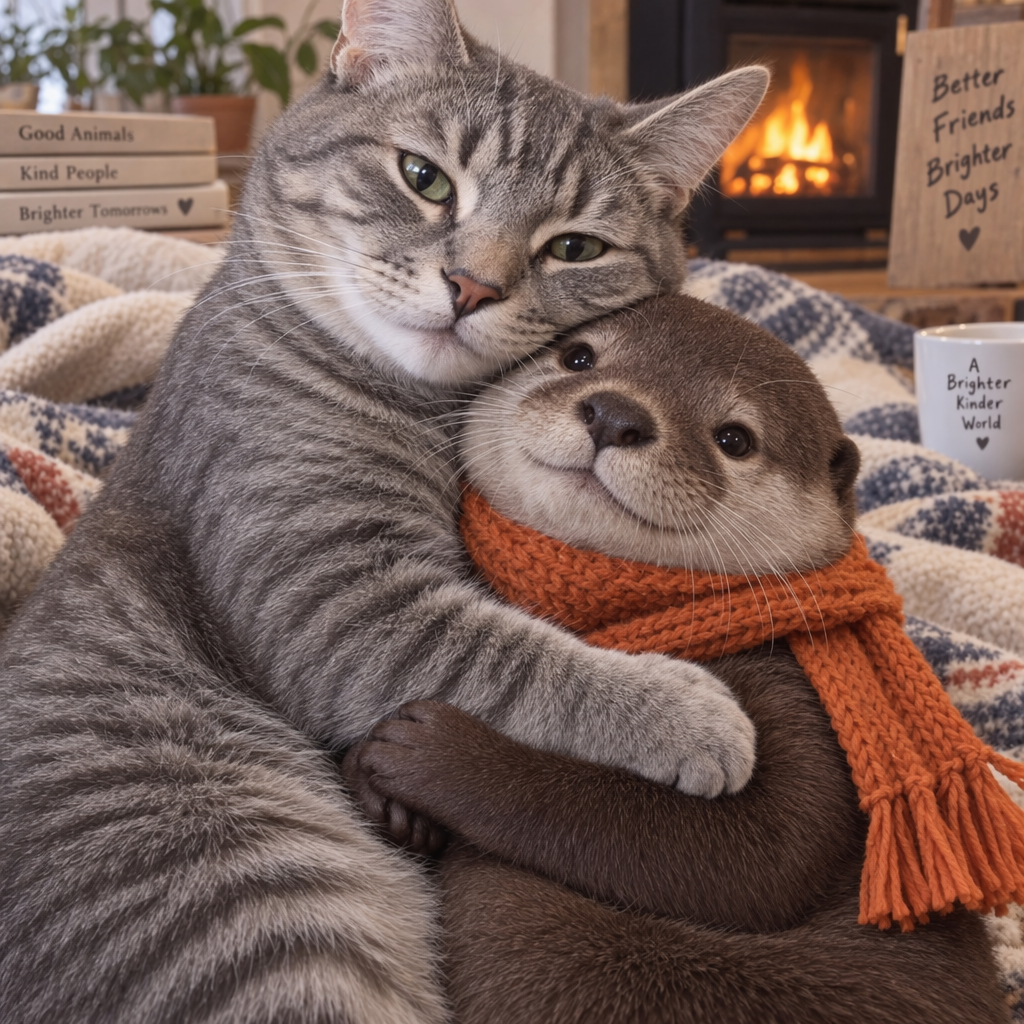
生成灰色虎斑猫抱着戴橙色围巾水獭的图像。
// [中文] Responses顶层选择主模型,在image_generation工具内选择图像模型;从工具调用结果提取图像并解码保存。
import OpenAI from "openai";
const openai = new OpenAI();

const response = await openai.responses.create({
  model: "gpt-6-astra",
  input:
    "Generate an image of gray tabby cat hugging an otter with an orange scarf",
  tools: [{ type: "image_generation", model: "gpt-image-2.5-sunburst" }],
});

// Save the image to a file
const imageData = response.output
  .filter((output) => output.type === "image_generation_call")
  .map((output) => output.result);

if (imageData.length > 0) {
  const imageBase64 = imageData[0];
  const fs = await import("fs");
  fs.writeFileSync("otter.png", Buffer.from(imageBase64, "base64"));
}
来源示例10(python)
本段复用的中文释义:译释3。
## [中文] Responses顶层选择主模型,在image_generation工具内选择图像模型;从工具调用结果提取图像并解码保存。
from openai import OpenAI
import base64

client = OpenAI()

response = client.responses.create(
    model="gpt-6-astra",
    input="Generate an image of gray tabby cat hugging an otter with an orange scarf",
    tools=[{"type": "image_generation", "model": "gpt-image-2.5-sunburst"}],
)

## Save the image to a file
image_data = [
    output.result
    for output in response.output
    if output.type == "image_generation_call"
]

if image_data:
    image_base64 = image_data[0]
    with open("otter.png", "wb") as f:
        f.write(base64.b64decode(image_base64))
来源示例11(go)
程序中的自然语言译释30:
响应未包含图像生成调用。
本段复用的中文释义:译释3。
// [中文] Responses顶层选择主模型,在image_generation工具内选择图像模型;从工具调用结果提取图像并解码保存。
package main

import (
    "context"
    "encoding/base64"
    "os"

    "github.com/openai/openai-go/v3"
    "github.com/openai/openai-go/v3/responses"
)

func main() {
    client := openai.NewClient()
    response, err := client.Responses.New(context.Background(), responses.ResponseNewParams{
        Model: "gpt-6-astra",
        Input: responses.ResponseNewParamsInputUnion{
            OfString: openai.String("Generate an image of gray tabby cat hugging an otter with an orange scarf"),
        },
        Tools: []responses.ToolUnionParam{{OfImageGeneration: &responses.ToolImageGenerationParam{Model: "gpt-image-2.5-sunburst"}}},
    })
    if err != nil {
        panic(err)
    }
    saveFirstGeneratedImage(response, "otter.png")
}

func saveFirstGeneratedImage(response *responses.Response, filename string) {
    for _, output := range response.Output {
        if output.Type != "image_generation_call" {
            continue
        }
        image, err := base64.StdEncoding.DecodeString(output.AsImageGenerationCall().Result)
        if err != nil {
            panic(err)
        }
        if err := os.WriteFile(filename, image, 0o600); err != nil {
            panic(err)
        }
        return
    }
    panic("response did not include an image generation call")
}
来源示例12(java)
程序中的自然语言译释4:
生成一张灰色虎斑猫抱着戴橙色围巾水獭的图像。
程序中的自然语言译释24:
没有返回图像生成调用。
本段复用的中文释义:译释23。
// [中文] Responses顶层选择主模型,在image_generation工具内选择图像模型;从工具调用结果提取图像并解码保存。
// [中文] 原例是API片段,使用前需已有client以及适当外层程序;本地仅保留源代码并检查注释,未独立编译。
import com.openai.client.OpenAIClient;
import com.openai.client.okhttp.OpenAIOkHttpClient;
import com.openai.models.responses.ResponseCreateParams;
import com.openai.models.responses.Tool;
import java.nio.file.Files;
import java.nio.file.Path;
import java.util.Base64;

ResponseCreateParams params =
    ResponseCreateParams.builder()
        .model("gpt-6-astra")
        .input("Generate an image of a gray tabby cat hugging an otter with an orange scarf.")
        .addTool(Tool.ImageGeneration.builder().build())
        .build();

var image =
    client.responses().create(params).output().stream()
        .flatMap(item -> item.imageGenerationCall().stream())
        .findFirst()
        .orElseThrow(() -> new IllegalStateException("No image generation call returned"));
String encoded =
    image.result().orElseThrow(() -> new IllegalStateException("No image returned"));
Files.write(Path.of("otter.png"), Base64.getDecoder().decode(encoded));
来源示例13(csharp)
程序中的自然语言译释25:
没有返回生成的图像。
本段复用的中文释义:译释4。
// [中文] Responses顶层选择主模型,在image_generation工具内选择图像模型;从工具调用结果提取图像并解码保存。
using OpenAI.Responses;
#pragma warning disable OPENAI001

string key = Environment.GetEnvironmentVariable("OPENAI_API_KEY")!;
ResponsesClient client = new(key);

CreateResponseOptions options = new() { Model = "gpt-6-astra" };
options.InputItems.Add(
    ResponseItem.CreateUserMessageItem(
        "Generate an image of a gray tabby cat hugging an otter with an orange scarf."
    )
);
options.Tools.Add(ResponseTool.CreateImageGenerationTool(model: "gpt-image-2.5-sunburst"));

ResponseResult response = await client.CreateResponseAsync(options);
ImageGenerationCallResponseItem image = response
    .OutputItems.OfType<ImageGenerationCallResponseItem>()
    .FirstOrDefault()
    ?? throw new InvalidOperationException("No generated image was returned.");
await File.WriteAllBytesAsync("otter.png", image.ImageResultBytes.ToArray());
来源示例14(ruby)
本段复用的中文释义:译释4、译释23、译释24。
## [中文] Responses顶层选择主模型,在image_generation工具内选择图像模型;从工具调用结果提取图像并解码保存。
require "base64"
require "openai"

client = OpenAI::Client.new
response = client.responses.create(
  model: "gpt-6-astra",
  input: "Generate an image of a gray tabby cat hugging an otter with an orange scarf.",
  tools: [
    {
      type: :image_generation,
      model: "gpt-image-2.5-sunburst"
    }
  ]
)

image_call = response.output.find do |item|
  item.is_a?(OpenAI::Models::Responses::ResponseOutputItem::ImageGenerationCall)
end
unless image_call.is_a?(OpenAI::Models::Responses::ResponseOutputItem::ImageGenerationCall)
  raise "No image generation call returned"
end

encoded_image = image_call.result or raise "No image returned"
File.binwrite("otter.png", Base64.strict_decode64(encoded_image))
多轮图像生成
Responses支持把先前图像工具调用的输出放入上下文(也可只提供图像ID),或通过previous_response_id继续对话。这样可跨轮次调整提示、应用新指令并逐步完善图像。
支持的工具模型能决定生成新图还是编辑已有图像。action: auto让模型决定,generate强制新生成,edit强制编辑上下文中的图像。
来源示例15(javascript)
本段复用的中文释义:译释3。
// [中文] 通过action指定工具新生成图像;强制edit需要上下文已有图像,不能与顶层模型字段混淆。
import OpenAI from "openai";
const openai = new OpenAI();

const response = await openai.responses.create({
  model: "gpt-6-astra",
  input:
    "Generate an image of gray tabby cat hugging an otter with an orange scarf",
  tools: [
    { type: "image_generation", model: "gpt-image-2.5-sunburst", action: "generate" },
  ],
});

// Save the image to a file
const imageData = response.output
  .filter((output) => output.type === "image_generation_call")
  .map((output) => output.result);

if (imageData.length > 0) {
  const imageBase64 = imageData[0];
  const fs = await import("fs");
  fs.writeFileSync("otter.png", Buffer.from(imageBase64, "base64"));
}
来源示例16(python)
本段复用的中文释义:译释3。
## [中文] 通过action指定工具新生成图像;强制edit需要上下文已有图像,不能与顶层模型字段混淆。
from openai import OpenAI
import base64

client = OpenAI()

response = client.responses.create(
    model="gpt-6-astra",
    input="Generate an image of gray tabby cat hugging an otter with an orange scarf",
    tools=[
        {"type": "image_generation", "model": "gpt-image-2.5-sunburst", "action": "generate"}
    ],
)

## Save the image to a file
image_data = [
    output.result
    for output in response.output
    if output.type == "image_generation_call"
]

if image_data:
    image_base64 = image_data[0]
    with open("otter.png", "wb") as f:
        f.write(base64.b64decode(image_base64))
来源示例17(go)
本段复用的中文释义:译释3、译释30。
// [中文] 通过action指定工具新生成图像;强制edit需要上下文已有图像,不能与顶层模型字段混淆。
package main

import (
    "context"
    "encoding/base64"
    "os"

    "github.com/openai/openai-go/v3"
    "github.com/openai/openai-go/v3/responses"
)

func main() {
    client := openai.NewClient()
    response, err := client.Responses.New(context.Background(), responses.ResponseNewParams{
        Model: "gpt-6-astra",
        Input: responses.ResponseNewParamsInputUnion{
            OfString: openai.String("Generate an image of gray tabby cat hugging an otter with an orange scarf"),
        },
        Tools: []responses.ToolUnionParam{{OfImageGeneration: &responses.ToolImageGenerationParam{Model: "gpt-image-2.5-sunburst", Action: "generate"}}},
    })
    if err != nil {
        panic(err)
    }
    for _, output := range response.Output {
        if output.Type != "image_generation_call" {
            continue
        }
        image, err := base64.StdEncoding.DecodeString(output.AsImageGenerationCall().Result)
        if err != nil {
            panic(err)
        }
        if err := os.WriteFile("otter.png", image, 0o600); err != nil {
            panic(err)
        }
        return
    }
    panic("response did not include an image generation call")
}
来源示例18(java)
程序中的自然语言译释26:
没有返回生成的图像。
本段复用的中文释义:译释4。
// [中文] 通过action指定工具新生成图像;强制edit需要上下文已有图像,不能与顶层模型字段混淆。
// [中文] 原例是API片段,使用前需已有client以及适当外层程序;本地仅保留源代码并检查注释,未独立编译。
import com.openai.client.OpenAIClient;
import com.openai.client.okhttp.OpenAIOkHttpClient;
import com.openai.models.responses.ResponseCreateParams;
import com.openai.models.responses.Tool;
import java.io.IOException;
import java.nio.file.Files;
import java.nio.file.Path;
import java.util.Base64;

ResponseCreateParams params =
    ResponseCreateParams.builder()
        .model("gpt-6-astra")
        .input("Generate an image of a gray tabby cat hugging an otter with an orange scarf.")
        .addTool(
            Tool.ImageGeneration.builder().action(Tool.ImageGeneration.Action.GENERATE).build())
        .build();

String imageResult =
    client.responses().create(params).output().stream()
        .flatMap(item -> item.imageGenerationCall().stream())
        .flatMap(call -> call.result().stream())
        .findFirst()
        .orElseThrow(() -> new IllegalStateException("No generated image returned"));
Path output = Path.of(System.getenv().getOrDefault("OPENAI_EXAMPLE_OUTPUT_PATH", "otter.png"));
Files.write(output, Base64.getDecoder().decode(imageResult));
System.out.println(output);
来源示例19(csharp)
本段复用的中文释义:译释4、译释25。
// [中文] 通过action指定工具新生成图像;强制edit需要上下文已有图像,不能与顶层模型字段混淆。
using OpenAI.Responses;
#pragma warning disable OPENAI001

string key = Environment.GetEnvironmentVariable("OPENAI_API_KEY")!;
ResponsesClient client = new(key);

CreateResponseOptions options = new() { Model = "gpt-6-astra" };
options.InputItems.Add(
    ResponseItem.CreateUserMessageItem(
        "Generate an image of a gray tabby cat hugging an otter with an orange scarf."
    )
);
options.Tools.Add(
    ResponseTool.CreateImageGenerationTool(
        model: "gpt-image-2.5-sunburst",
        action: ImageGenerationToolAction.Generate
    )
);

ResponseResult response = await client.CreateResponseAsync(options);
ImageGenerationCallResponseItem image = response
    .OutputItems.OfType<ImageGenerationCallResponseItem>()
    .FirstOrDefault()
    ?? throw new InvalidOperationException("No generated image was returned.");
await File.WriteAllBytesAsync("otter.png", image.ImageResultBytes.ToArray());
来源示例20(ruby)
本段复用的中文释义:译释4、译释23、译释24。
## [中文] 通过action指定工具新生成图像;强制edit需要上下文已有图像,不能与顶层模型字段混淆。
require "base64"
require "openai"

client = OpenAI::Client.new
response = client.responses.create(
  model: "gpt-6-astra",
  input: "Generate an image of a gray tabby cat hugging an otter with an orange scarf.",
  tools: [
    {
      type: :image_generation,
      model: "gpt-image-2.5-sunburst",
      action: :generate
    }
  ]
)

image_call = response.output.find do |item|
  item.is_a?(OpenAI::Models::Responses::ResponseOutputItem::ImageGenerationCall)
end
unless image_call.is_a?(OpenAI::Models::Responses::ResponseOutputItem::ImageGenerationCall)
  raise "No image generation call returned"
end

encoded_image = image_call.result or raise "No image returned"
output_path = ENV.fetch("OPENAI_EXAMPLE_OUTPUT_PATH", "otter.png")
File.binwrite(output_path, Base64.decode64(encoded_image))
puts(output_path)
若没有上下文图像却强制edit,会返回错误;不确定时保留auto。
通过先前响应ID继续编辑:
来源示例21(javascript)
程序中的自然语言译释5:
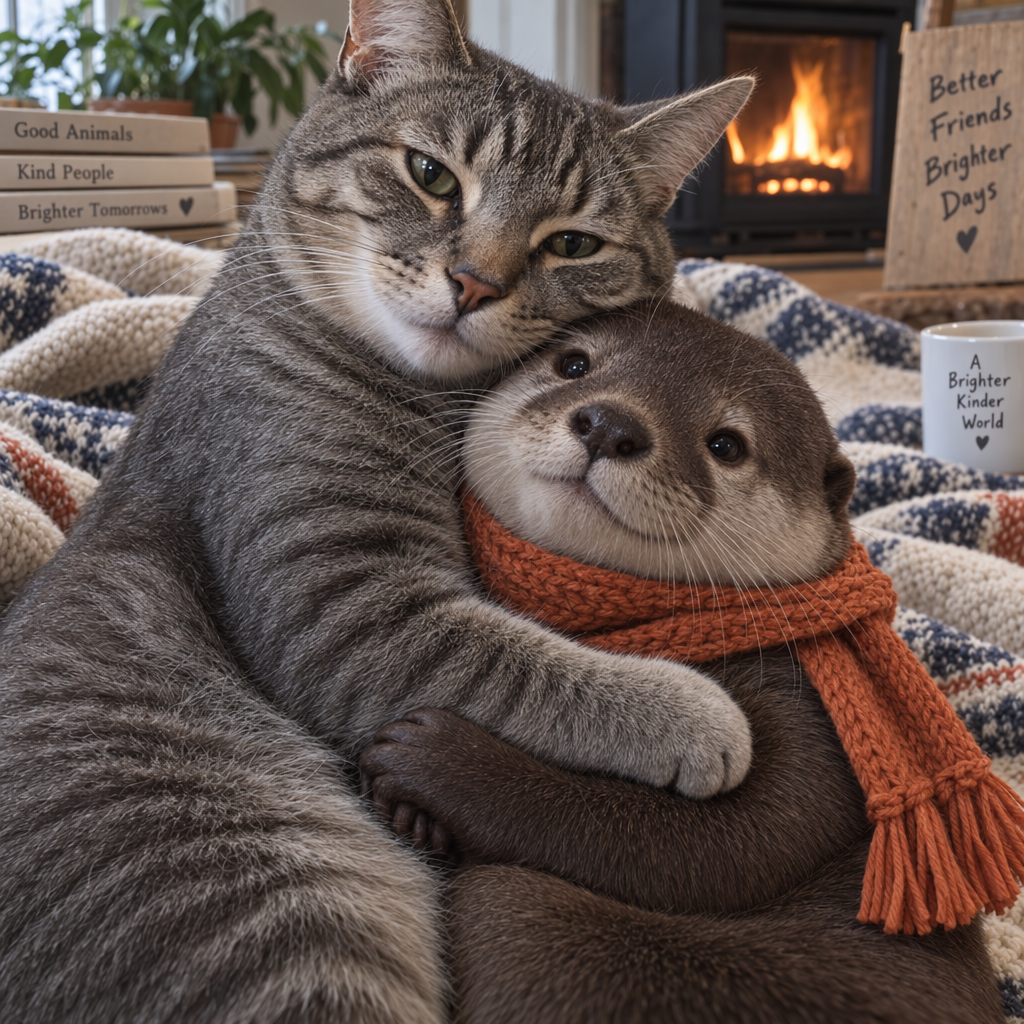
现在让它看起来更写实。
本段复用的中文释义:译释3。
// [中文] 先生成图像,再通过previous_response_id继续响应,要求把同一画面改为写实;保留第一轮与后续结果。
import OpenAI from "openai";
const openai = new OpenAI();

const response = await openai.responses.create({
  model: "gpt-6-astra",
  input:
    "Generate an image of gray tabby cat hugging an otter with an orange scarf",
  tools: [{ type: "image_generation", model: "gpt-image-2.5-sunburst" }],
});

const imageData = response.output
  .filter((output) => output.type === "image_generation_call")
  .map((output) => output.result);

if (imageData.length > 0) {
  const imageBase64 = imageData[0];
  const fs = await import("fs");
  fs.writeFileSync("cat_and_otter.png", Buffer.from(imageBase64, "base64"));
}

// Follow up

const response_fwup = await openai.responses.create({
  model: "gpt-6-astra",
  previous_response_id: response.id,
  input: "Now make it look realistic",
  tools: [{ type: "image_generation", model: "gpt-image-2.5-sunburst" }],
});

const imageData_fwup = response_fwup.output
  .filter((output) => output.type === "image_generation_call")
  .map((output) => output.result);

if (imageData_fwup.length > 0) {
  const imageBase64 = imageData_fwup[0];
  const fs = await import("fs");
  fs.writeFileSync(
    "cat_and_otter_realistic.png",
    Buffer.from(imageBase64, "base64")
  );
}
来源示例22(python)
本段复用的中文释义:译释3、译释5。
## [中文] 先生成图像,再通过previous_response_id继续响应,要求把同一画面改为写实;保留第一轮与后续结果。
from openai import OpenAI
import base64

client = OpenAI()

response = client.responses.create(
    model="gpt-6-astra",
    input="Generate an image of gray tabby cat hugging an otter with an orange scarf",
    tools=[{"type": "image_generation", "model": "gpt-image-2.5-sunburst"}],
)

image_data = [
    output.result
    for output in response.output
    if output.type == "image_generation_call"
]

if image_data:
    image_base64 = image_data[0]

    with open("cat_and_otter.png", "wb") as f:
        f.write(base64.b64decode(image_base64))


## Follow up

response_fwup = client.responses.create(
    model="gpt-6-astra",
    previous_response_id=response.id,
    input="Now make it look realistic",
    tools=[{"type": "image_generation", "model": "gpt-image-2.5-sunburst"}],
)

image_data_fwup = [
    output.result
    for output in response_fwup.output
    if output.type == "image_generation_call"
]

if image_data_fwup:
    image_base64 = image_data_fwup[0]
    with open("cat_and_otter_realistic.png", "wb") as f:
        f.write(base64.b64decode(image_base64))
来源示例23(go)
本段复用的中文释义:译释3、译释5、译释30。
// [中文] 先生成图像,再通过previous_response_id继续响应,要求把同一画面改为写实;保留第一轮与后续结果。
package main

import (
    "context"
    "encoding/base64"
    "os"

    "github.com/openai/openai-go/v3"
    "github.com/openai/openai-go/v3/responses"
)

func main() {
    client := openai.NewClient()
    first, err := client.Responses.New(context.Background(), responses.ResponseNewParams{
        Model: "gpt-6-astra",
        Input: responses.ResponseNewParamsInputUnion{
            OfString: openai.String("Generate an image of gray tabby cat hugging an otter with an orange scarf"),
        },
        Tools: []responses.ToolUnionParam{{OfImageGeneration: &responses.ToolImageGenerationParam{Model: "gpt-image-2.5-sunburst"}}},
    })
    if err != nil {
        panic(err)
    }
    saveFirstGeneratedImage(first, "cat_and_otter.png")

    followUp, err := client.Responses.New(context.Background(), responses.ResponseNewParams{
        Model:              "gpt-6-astra",
        PreviousResponseID: openai.String(first.ID),
        Input: responses.ResponseNewParamsInputUnion{
            OfString: openai.String("Now make it look realistic"),
        },
        Tools: []responses.ToolUnionParam{{OfImageGeneration: &responses.ToolImageGenerationParam{Model: "gpt-image-2.5-sunburst"}}},
    })
    if err != nil {
        panic(err)
    }
    saveFirstGeneratedImage(followUp, "cat_and_otter_realistic.png")
}

func saveFirstGeneratedImage(response *responses.Response, filename string) {
    for _, output := range response.Output {
        if output.Type != "image_generation_call" {
            continue
        }
        image, err := base64.StdEncoding.DecodeString(output.AsImageGenerationCall().Result)
        if err != nil {
            panic(err)
        }
        if err := os.WriteFile(filename, image, 0o600); err != nil {
            panic(err)
        }
        return
    }
    panic("response did not include an image generation call")
}
来源示例24(java)
程序中的自然语言译释27:
后续请求没有返回图像生成调用。
程序中的自然语言译释28:
后续请求没有返回图像。
本段复用的中文释义:译释4、译释5、译释23、译释24。
// [中文] 先生成图像,再通过previous_response_id继续响应,要求把同一画面改为写实;保留第一轮与后续结果。
// [中文] 原例是API片段,使用前需已有client以及适当外层程序;本地仅保留源代码并检查注释,未独立编译。
import com.openai.client.OpenAIClient;
import com.openai.client.okhttp.OpenAIOkHttpClient;
import com.openai.models.responses.ResponseCreateParams;
import com.openai.models.responses.Tool;
import java.nio.file.Files;
import java.nio.file.Path;
import java.util.Base64;

var first =
    client
        .responses()
        .create(
            ResponseCreateParams.builder()
                .model("gpt-6-astra")
                .input(
                    "Generate an image of a gray tabby cat hugging an otter with an orange scarf.")
                .addTool(Tool.ImageGeneration.builder().build())
                .build());
var firstImage =
    first.output().stream()
        .flatMap(item -> item.imageGenerationCall().stream())
        .findFirst()
        .orElseThrow(() -> new IllegalStateException("No image generation call returned"));
Files.write(
    Path.of("cat_and_otter.png"),
    Base64.getDecoder()
        .decode(
            firstImage
                .result()
                .orElseThrow(() -> new IllegalStateException("No image returned"))));

var second =
    client
        .responses()
        .create(
            ResponseCreateParams.builder()
                .model("gpt-6-astra")
                .input("Now make it look realistic.")
                .previousResponseId(first.id())
                .addTool(Tool.ImageGeneration.builder().build())
                .build());
var secondImage =
    second.output().stream()
        .flatMap(item -> item.imageGenerationCall().stream())
        .findFirst()
        .orElseThrow(
            () -> new IllegalStateException("No follow-up image generation call returned"));
Files.write(
    Path.of("cat_and_otter_realistic.png"),
    Base64.getDecoder()
        .decode(
            secondImage
                .result()
                .orElseThrow(() -> new IllegalStateException("No follow-up image returned"))));
来源示例25(csharp)
本段复用的中文释义:译释4、译释5。
// [中文] 先生成图像,再通过previous_response_id继续响应,要求把同一画面改为写实;保留第一轮与后续结果。
using OpenAI.Responses;
#pragma warning disable OPENAI001

string key = Environment.GetEnvironmentVariable("OPENAI_API_KEY")!;
ResponsesClient client = new(key);

CreateResponseOptions options = new() { Model = "gpt-6-astra" };
options.Tools.Add(ResponseTool.CreateImageGenerationTool(model: "gpt-image-2.5-sunburst"));
options.InputItems.Add(
    ResponseItem.CreateUserMessageItem(
        "Generate an image of a gray tabby cat hugging an otter with an orange scarf."
    )
);

ResponseResult first = await client.CreateResponseAsync(options);
ImageGenerationCallResponseItem initialImage = first
    .OutputItems.OfType<ImageGenerationCallResponseItem>()
    .First();
await File.WriteAllBytesAsync("cat_and_otter.png", initialImage.ImageResultBytes.ToArray());

CreateResponseOptions followUp = new()
{
    Model = "gpt-6-astra",
    PreviousResponseId = first.Id,
};
followUp.Tools.Add(ResponseTool.CreateImageGenerationTool(model: "gpt-image-2.5-sunburst"));
followUp.InputItems.Add(ResponseItem.CreateUserMessageItem("Now make it look realistic."));

ResponseResult second = await client.CreateResponseAsync(followUp);
ImageGenerationCallResponseItem updatedImage = second
    .OutputItems.OfType<ImageGenerationCallResponseItem>()
    .First();
await File.WriteAllBytesAsync(
    "cat_and_otter_realistic.png",
    updatedImage.ImageResultBytes.ToArray()
);
来源示例26(ruby)
本段复用的中文释义:译释4、译释5、译释23、译释24、译释27、译释28。
## [中文] 先生成图像,再通过previous_response_id继续响应,要求把同一画面改为写实;保留第一轮与后续结果。
require "base64"
require "openai"

client = OpenAI::Client.new
first = client.responses.create(
  model: "gpt-6-astra",
  input: "Generate an image of a gray tabby cat hugging an otter with an orange scarf.",
  tools: [
    {
      type: :image_generation,
      model: "gpt-image-2.5-sunburst"
    }
  ]
)

first_image = first.output.find do |item|
  item.is_a?(OpenAI::Models::Responses::ResponseOutputItem::ImageGenerationCall)
end
unless first_image.is_a?(OpenAI::Models::Responses::ResponseOutputItem::ImageGenerationCall)
  raise "No image generation call returned"
end

encoded_image = first_image.result or raise "No image returned"
File.binwrite("cat_and_otter.png", Base64.strict_decode64(encoded_image))

follow_up = client.responses.create(
  model: "gpt-6-astra",
  input: "Now make it look realistic.",
  previous_response_id: first.id,
  tools: [
    {
      type: :image_generation,
      model: "gpt-image-2.5-sunburst"
    }
  ]
)

follow_up_image = follow_up.output.find do |item|
  item.is_a?(OpenAI::Models::Responses::ResponseOutputItem::ImageGenerationCall)
end
unless follow_up_image.is_a?(OpenAI::Models::Responses::ResponseOutputItem::ImageGenerationCall)
  raise "No follow-up image generation call returned"
end

encoded_image = follow_up_image.result or raise "No follow-up image returned"
File.binwrite("cat_and_otter_realistic.png", Base64.strict_decode64(encoded_image))
通过图像ID继续编辑:
来源示例27(javascript)
本段复用的中文释义:译释3、译释5。
// [中文] 先生成图像,再把图像生成调用ID作为后续上下文引用,实现同一画面的继续编辑。
import OpenAI from "openai";
const openai = new OpenAI();

const response = await openai.responses.create({
  model: "gpt-6-astra",
  input:
    "Generate an image of gray tabby cat hugging an otter with an orange scarf",
  tools: [{ type: "image_generation", model: "gpt-image-2.5-sunburst" }],
});

const imageGenerationCalls = response.output.filter(
  (output) => output.type === "image_generation_call"
);

const imageData = imageGenerationCalls.map((output) => output.result);

if (imageData.length > 0) {
  const imageBase64 = imageData[0];
  const fs = await import("fs");
  fs.writeFileSync("cat_and_otter.png", Buffer.from(imageBase64, "base64"));
}

// Follow up

const response_fwup = await openai.responses.create({
  model: "gpt-6-astra",
  input: [
    {
      role: "user",
      content: [{ type: "input_text", text: "Now make it look realistic" }],
    },
    {
      type: "image_generation_call",
      id: imageGenerationCalls[0].id,
    },
  ],
  tools: [{ type: "image_generation", model: "gpt-image-2.5-sunburst" }],
});

const imageData_fwup = response_fwup.output
  .filter((output) => output.type === "image_generation_call")
  .map((output) => output.result);

if (imageData_fwup.length > 0) {
  const imageBase64 = imageData_fwup[0];
  const fs = await import("fs");
  fs.writeFileSync(
    "cat_and_otter_realistic.png",
    Buffer.from(imageBase64, "base64")
  );
}
来源示例28(python)
本段复用的中文释义:译释3、译释5。
## [中文] 先生成图像,再把图像生成调用ID作为后续上下文引用,实现同一画面的继续编辑。
import openai
import base64

response = openai.responses.create(
    model="gpt-6-astra",
    input="Generate an image of gray tabby cat hugging an otter with an orange scarf",
    tools=[{"type": "image_generation", "model": "gpt-image-2.5-sunburst"}],
)

## [中文] 筛选图像生成工具调用输出。
image_generation_calls = [
    output for output in response.output if output.type == "image_generation_call"
]

image_data = [output.result for output in image_generation_calls]

if image_data:
    image_base64 = image_data[0]

    with open("cat_and_otter.png", "wb") as f:
        f.write(base64.b64decode(image_base64))


## Follow up

response_fwup = openai.responses.create(
    model="gpt-6-astra",
    input=[
        {
            "role": "user",
            "content": [{"type": "input_text", "text": "Now make it look realistic"}],
        },
        {
            "type": "image_generation_call",
            "id": image_generation_calls[0].id,
        },
    ],
    tools=[{"type": "image_generation", "model": "gpt-image-2.5-sunburst"}],
)

image_data_fwup = [
    output.result
    for output in response_fwup.output
    if output.type == "image_generation_call"
]

if image_data_fwup:
    image_base64 = image_data_fwup[0]
    with open("cat_and_otter_realistic.png", "wb") as f:
        f.write(base64.b64decode(image_base64))
来源示例29(go)
本段复用的中文释义:译释3、译释5、译释30。
// [中文] 先生成图像,再把图像生成调用ID作为后续上下文引用,实现同一画面的继续编辑。
package main

import (
    "context"
    "encoding/base64"
    "encoding/json"
    "os"

    "github.com/openai/openai-go/v3"
    "github.com/openai/openai-go/v3/responses"
)

func main() {
    client := openai.NewClient()
    first, err := client.Responses.New(context.Background(), responses.ResponseNewParams{
        Model: "gpt-6-astra",
        Input: responses.ResponseNewParamsInputUnion{
            OfString: openai.String("Generate an image of gray tabby cat hugging an otter with an orange scarf"),
        },
        Tools: []responses.ToolUnionParam{{OfImageGeneration: &responses.ToolImageGenerationParam{Model: "gpt-image-2.5-sunburst"}}},
    })
    if err != nil {
        panic(err)
    }
    call := firstImageGenerationCall(first)
    saveImage("cat_and_otter.png", call.Result)
    input := outputAsInput(first.Output)
    input = append(input, responses.ResponseInputItemParamOfMessage(
        responses.ResponseInputMessageContentListParam{responses.ResponseInputContentParamOfInputText("Now make it look realistic")},
        responses.EasyInputMessageRoleUser,
    ))

    followUp, err := client.Responses.New(context.Background(), responses.ResponseNewParams{
        Model: "gpt-6-astra",
        Input: responses.ResponseNewParamsInputUnion{OfInputItemList: input},
        Tools: []responses.ToolUnionParam{{OfImageGeneration: &responses.ToolImageGenerationParam{Model: "gpt-image-2.5-sunburst"}}},
    })
    if err != nil {
        panic(err)
    }
    saveImage("cat_and_otter_realistic.png", firstImageGenerationCall(followUp).Result)
}

func firstImageGenerationCall(response *responses.Response) responses.ResponseOutputItemImageGenerationCall {
    for _, output := range response.Output {
        if output.Type == "image_generation_call" {
            return output.AsImageGenerationCall()
        }
    }
    panic("response did not include an image generation call")
}

func outputAsInput(output []responses.ResponseOutputItemUnion) []responses.ResponseInputItemUnionParam {
    input := make([]responses.ResponseInputItemUnionParam, 0, len(output))
    for _, item := range output {
        var converted responses.ResponseInputItemUnion
        if err := json.Unmarshal([]byte(item.RawJSON()), &converted); err != nil {
            panic(err)
        }
        input = append(input, converted.ToParam())
    }
    return input
}

func saveImage(filename, encoded string) {
    image, err := base64.StdEncoding.DecodeString(encoded)
    if err != nil {
        panic(err)
    }
    if err := os.WriteFile(filename, image, 0o600); err != nil {
        panic(err)
    }
}
来源示例30(java)
本段复用的中文释义:译释4、译释5、译释23、译释24、译释27、译释28。
// [中文] 先生成图像,再把图像生成调用ID作为后续上下文引用,实现同一画面的继续编辑。
// [中文] 原例是API片段,使用前需已有client以及适当外层程序;本地仅保留源代码并检查注释,未独立编译。
import com.openai.client.OpenAIClient;
import com.openai.client.okhttp.OpenAIOkHttpClient;
import com.openai.core.JsonValue;
import com.openai.models.responses.ResponseCreateParams;
import com.openai.models.responses.ResponseInputItem;
import com.openai.models.responses.Tool;
import java.nio.file.Files;
import java.nio.file.Path;
import java.util.Base64;
import java.util.List;
import java.util.Map;

var first =
    client
        .responses()
        .create(
            ResponseCreateParams.builder()
                .model("gpt-6-astra")
                .input(
                    "Generate an image of a gray tabby cat hugging an otter with an orange scarf.")
                .addTool(Tool.ImageGeneration.builder().build())
                .build());
var firstImage =
    first.output().stream()
        .flatMap(item -> item.imageGenerationCall().stream())
        .findFirst()
        .orElseThrow(() -> new IllegalStateException("No image generation call returned"));
Files.write(
    Path.of("cat_and_otter.png"),
    Base64.getDecoder()
        .decode(
            firstImage
                .result()
                .orElseThrow(() -> new IllegalStateException("No image returned"))));

var second =
    client
        .responses()
        .create(
            ResponseCreateParams.builder()
                .model("gpt-6-astra")
                .inputOfResponse(
                    List.of(
                        ResponseInputItem.ofMessage(
                            ResponseInputItem.Message.builder()
                                .role(ResponseInputItem.Message.Role.USER)
                                .addInputTextContent("Now make it look realistic.")
                                .build()),
                        JsonValue.from(
                                Map.of("type", "image_generation_call", "id", firstImage.id()))
                            .convert(ResponseInputItem.class)))
                .addTool(Tool.ImageGeneration.builder().build())
                .build());
var secondImage =
    second.output().stream()
        .flatMap(item -> item.imageGenerationCall().stream())
        .findFirst()
        .orElseThrow(
            () -> new IllegalStateException("No follow-up image generation call returned"));
Files.write(
    Path.of("cat_and_otter_realistic.png"),
    Base64.getDecoder()
        .decode(
            secondImage
                .result()
                .orElseThrow(() -> new IllegalStateException("No follow-up image returned"))));
来源示例31(csharp)
本段复用的中文释义:译释4、译释5。
// [中文] 先生成图像,再把图像生成调用ID作为后续上下文引用,实现同一画面的继续编辑。
using OpenAI.Responses;
#pragma warning disable OPENAI001

string key = Environment.GetEnvironmentVariable("OPENAI_API_KEY")!;
ResponsesClient client = new(key);

CreateResponseOptions options = new() { Model = "gpt-6-astra" };
options.Tools.Add(ResponseTool.CreateImageGenerationTool(model: "gpt-image-2.5-sunburst"));
options.InputItems.Add(
    ResponseItem.CreateUserMessageItem(
        "Generate an image of a gray tabby cat hugging an otter with an orange scarf."
    )
);

ResponseResult first = await client.CreateResponseAsync(options);
ImageGenerationCallResponseItem initialImage = first
    .OutputItems.OfType<ImageGenerationCallResponseItem>()
    .First();
await File.WriteAllBytesAsync("cat_and_otter.png", initialImage.ImageResultBytes.ToArray());

CreateResponseOptions followUp = new() { Model = "gpt-6-astra" };
followUp.Tools.Add(ResponseTool.CreateImageGenerationTool(model: "gpt-image-2.5-sunburst"));
followUp.InputItems.Add(ResponseItem.CreateUserMessageItem("Now make it look realistic."));
followUp.InputItems.Add(ResponseItem.CreateReferenceItem(initialImage.Id));

ResponseResult second = await client.CreateResponseAsync(followUp);
ImageGenerationCallResponseItem updatedImage = second
    .OutputItems.OfType<ImageGenerationCallResponseItem>()
    .First();
await File.WriteAllBytesAsync(
    "cat_and_otter_realistic.png",
    updatedImage.ImageResultBytes.ToArray()
);
来源示例32(ruby)
本段复用的中文释义:译释4、译释5、译释23、译释24、译释27、译释28。
## [中文] 先生成图像,再把图像生成调用ID作为后续上下文引用,实现同一画面的继续编辑。
require "base64"
require "openai"

client = OpenAI::Client.new
first = client.responses.create(
  model: "gpt-6-astra",
  input: "Generate an image of a gray tabby cat hugging an otter with an orange scarf.",
  tools: [
    {
      type: :image_generation,
      model: "gpt-image-2.5-sunburst"
    }
  ]
)

first_image = first.output.find do |item|
  item.is_a?(OpenAI::Models::Responses::ResponseOutputItem::ImageGenerationCall)
end
unless first_image.is_a?(OpenAI::Models::Responses::ResponseOutputItem::ImageGenerationCall)
  raise "No image generation call returned"
end

encoded_image = first_image.result or raise "No image returned"
File.binwrite("cat_and_otter.png", Base64.strict_decode64(encoded_image))

follow_up = client.responses.create(
  model: "gpt-6-astra",
  input: [
    {
      role: :user,
      content: [
        {
          type: :input_text,
          text: "Now make it look realistic."
        }
      ]
    },
    {
      type: :image_generation_call,
      id: first_image.id
    }
  ],
  tools: [
    {
      type: :image_generation,
      model: "gpt-image-2.5-sunburst"
    }
  ]
)

follow_up_image = follow_up.output.find do |item|
  item.is_a?(OpenAI::Models::Responses::ResponseOutputItem::ImageGenerationCall)
end
unless follow_up_image.is_a?(OpenAI::Models::Responses::ResponseOutputItem::ImageGenerationCall)
  raise "No follow-up image generation call returned"
end

encoded_image = follow_up_image.result or raise "No follow-up image returned"
File.binwrite("cat_and_otter_realistic.png", Base64.strict_decode64(encoded_image))
结果
第一轮提示:“生成一张灰色虎斑猫抱着戴橙色围巾水獭的图像。”
后续提示:“现在让它看起来更写实。”
流式输出
Responses与Images API都支持流式图像生成,在生成过程中先提供部分图像,以改善交互体验。
partial_images可设为0—3。为0时只返回最终图像;大于0时,如果完整图生成得很快,实际部分图数量可能少于请求数量。
Responses API:
来源示例33(javascript)
程序中的自然语言译释6:
绘制由白色猫头鹰羽毛组成的美丽河流,蜿蜒流经宁静冬日景观。
// [中文] 请求Responses流式输出,按图像事件读取部分结果与最终结果,Base64解码后保存。
import OpenAI from "openai";
import fs from "fs";
const openai = new OpenAI();

function saveBase64Image(filename, imageBase64) {
  const imageBuffer = Buffer.from(imageBase64, "base64");
  fs.writeFileSync(filename, imageBuffer);
}

const stream = await openai.responses.create({
  model: "gpt-6-astra",
  input:
    "Draw a gorgeous image of a river made of white owl feathers, snaking its way through a serene winter landscape",
  stream: true,
  tools: [
    { type: "image_generation", model: "gpt-image-2.5-sunburst", partial_images: 2 },
  ],
});

for await (const event of stream) {
  if (event.type === "response.image_generation_call.partial_image") {
    const idx = event.partial_image_index;
    saveBase64Image(`river-partial-${idx}.png`, event.partial_image_b64);
  } else if (event.type === "response.completed") {
    const imageData = event.response.output
      .filter((output) => output.type === "image_generation_call")
      .map((output) => output.result);

    if (imageData.length > 0) {
      saveBase64Image("river-final.png", imageData[0]);
    }
  }
}
来源示例34(python)
本段复用的中文释义:译释6。
## [中文] 请求Responses流式输出,按图像事件读取部分结果与最终结果,Base64解码后保存。
from openai import OpenAI
import base64

client = OpenAI()


def save_base64_image(filename, image_base64):
    # [中文] 将Base64还原为二进制图像字节。
    image_bytes = base64.b64decode(image_base64)
    with open(filename, "wb") as f:
        f.write(image_bytes)


stream = client.responses.create(
    model="gpt-6-astra",
    input="Draw a gorgeous image of a river made of white owl feathers, snaking its way through a serene winter landscape",
    stream=True,
    tools=[
        {"type": "image_generation", "model": "gpt-image-2.5-sunburst", "partial_images": 2}
    ],
)

for event in stream:
    if event.type == "response.image_generation_call.partial_image":
        idx = event.partial_image_index
        save_base64_image(f"river-partial-{idx}.png", event.partial_image_b64)
    elif event.type == "response.completed":
        image_data = [
            output.result
            for output in event.response.output
            if output.type == "image_generation_call"
        ]

        if image_data:
            save_base64_image("river-final.png", image_data[0])
来源示例35(go)
本段复用的中文释义:译释6。
// [中文] 请求Responses流式输出,按图像事件读取部分结果与最终结果,Base64解码后保存。
package main

import (
    "context"
    "encoding/base64"
    "fmt"
    "os"

    "github.com/openai/openai-go/v3"
    "github.com/openai/openai-go/v3/responses"
)

func main() {
    client := openai.NewClient()
    stream := client.Responses.NewStreaming(context.Background(), responses.ResponseNewParams{
        Model: "gpt-6-astra",
        Input: responses.ResponseNewParamsInputUnion{
            OfString: openai.String("Draw a gorgeous image of a river made of white owl feathers, snaking its way through a serene winter landscape"),
        },
        Tools: []responses.ToolUnionParam{{OfImageGeneration: &responses.ToolImageGenerationParam{Model: "gpt-image-2.5-sunburst", PartialImages: openai.Int(2)}}},
    })
    for stream.Next() {
        event := stream.Current()
        if event.Type == "response.image_generation_call.partial_image" {
            partial := event.AsResponseImageGenerationCallPartialImage()
            saveImage(fmt.Sprintf("river-partial-%d.png", partial.PartialImageIndex), partial.PartialImageB64)
        }
        if event.Type == "response.completed" {
            for _, output := range event.AsResponseCompleted().Response.Output {
                if output.Type == "image_generation_call" {
                    saveImage("river-final.png", output.AsImageGenerationCall().Result)
                }
            }
        }
    }
    if err := stream.Err(); err != nil {
        panic(err)
    }
}

func saveImage(filename, encoded string) {
    image, err := base64.StdEncoding.DecodeString(encoded)
    if err != nil {
        panic(err)
    }
    if err := os.WriteFile(filename, image, 0o600); err != nil {
        panic(err)
    }
}
来源示例36(java)
程序中的自然语言译释7:
生成一条由白色猫头鹰羽毛组成的河流。
程序中的自然语言译释29:
没有返回最终图像。
本段复用的中文释义:译释26。
// [中文] 请求Responses流式输出,按图像事件读取部分结果与最终结果,Base64解码后保存。
// [中文] 原例是API片段,使用前需已有client以及适当外层程序;本地仅保留源代码并检查注释,未独立编译。
import com.openai.client.OpenAIClient;
import com.openai.client.okhttp.OpenAIOkHttpClient;
import com.openai.core.http.StreamResponse;
import com.openai.models.responses.ResponseCreateParams;
import com.openai.models.responses.ResponseStreamEvent;
import com.openai.models.responses.Tool;
import java.io.IOException;
import java.nio.file.Files;
import java.nio.file.Path;
import java.util.Base64;

ResponseCreateParams params =
    ResponseCreateParams.builder()
        .model("gpt-6-astra")
        .input("Generate an image of a river made of white owl feathers.")
        .addTool(Tool.ImageGeneration.builder().partialImages(2).build())
        .build();

try (StreamResponse<ResponseStreamEvent> stream = client.responses().createStreaming(params)) {
  var events = stream.stream().iterator();
  while (events.hasNext()) {
    ResponseStreamEvent event = events.next();
    if (event.imageGenerationCallPartialImage().isPresent()) {
      var partial = event.imageGenerationCallPartialImage().orElseThrow();
      Files.write(
          Path.of("river-partial-" + partial.partialImageIndex() + ".png"),
          Base64.getDecoder().decode(partial.partialImageB64()));
    }
    if (event.completed().isPresent()) {
      var image =
          event.completed().orElseThrow().response().output().stream()
              .flatMap(item -> item.imageGenerationCall().stream())
              .findFirst()
              .orElseThrow(() -> new IllegalStateException("No generated image returned"));
      Files.write(
          Path.of("river-final.png"),
          Base64.getDecoder()
              .decode(
                  image
                      .result()
                      .orElseThrow(
                          () -> new IllegalStateException("No final image returned"))));
    }
  }
}
来源示例37(ruby)
本段复用的中文释义:译释7。
## [中文] 请求Responses流式输出,按图像事件读取部分结果与最终结果,Base64解码后保存。
require "base64"
require "openai"

client = OpenAI::Client.new
stream = client.responses.stream(
  model: "gpt-6-astra",
  input: "Generate an image of a river made of white owl feathers.",
  tools: [
    {
      type: :image_generation,
      model: "gpt-image-2.5-sunburst",
      partial_images: 2
    }
  ]
)

stream.each do |event|
  case event
  when OpenAI::Models::Responses::ResponseImageGenCallPartialImageEvent
    image = Base64.strict_decode64(event.partial_image_b64)
    File.binwrite("river-partial-#{event.partial_image_index}.png", image)
  when OpenAI::Models::Responses::ResponseCompletedEvent
    image_call = event.response.output.find do |item|
      item.is_a?(OpenAI::Models::Responses::ResponseOutputItem::ImageGenerationCall)
    end
    next unless image_call.is_a?(OpenAI::Models::Responses::ResponseOutputItem::ImageGenerationCall)

    File.binwrite(
      "river-final.png",
      Base64.strict_decode64(image_call.result)
    )
  end
end
Images API:
来源示例38(javascript)
本段复用的中文释义:译释6。
// [中文] 使用Images API的流式生成接口;本例仅筛选并保存部分图像,未演示完成事件处理或最终图像保存。请求的部分图数量不保证全部返回。
import fs from "fs";
import OpenAI from "openai";

const openai = new OpenAI();

const prompt =
  "Draw a gorgeous image of a river made of white owl feathers, snaking its way through a serene winter landscape";
const stream = await openai.images.generate({
  prompt: prompt,
  model: "gpt-image-2.5-sunburst",
  stream: true,
  partial_images: 2,
});

for await (const event of stream) {
  if (event.type === "image_generation.partial_image") {
    const idx = event.partial_image_index;
    const imageBase64 = event.b64_json;
    const imageBuffer = Buffer.from(imageBase64, "base64");
    fs.writeFileSync(`river${idx}.png`, imageBuffer);
  }
}
来源示例39(python)
本段复用的中文释义:译释6。
## [中文] 使用Images API的流式生成接口;本例仅筛选并保存部分图像,未演示完成事件处理或最终图像保存。请求的部分图数量不保证全部返回。
from openai import OpenAI
import base64

client = OpenAI()

stream = client.images.generate(
    prompt="Draw a gorgeous image of a river made of white owl feathers, snaking its way through a serene winter landscape",
    model="gpt-image-2.5-sunburst",
    stream=True,
    partial_images=2,
)

for event in stream:
    if event.type == "image_generation.partial_image":
        idx = event.partial_image_index
        image_base64 = event.b64_json
        # [中文] 将Base64还原为二进制图像字节。
        image_bytes = base64.b64decode(image_base64)
        with open(f"river{idx}.png", "wb") as f:
            f.write(image_bytes)
来源示例40(go)
本段复用的中文释义:译释6。
// [中文] 使用Images API的流式生成接口;本例仅筛选并保存部分图像,未演示完成事件处理或最终图像保存。请求的部分图数量不保证全部返回。
package main

import (
    "context"
    "encoding/base64"
    "fmt"
    "os"

    "github.com/openai/openai-go/v3"
)

func main() {
    client := openai.NewClient()
    stream := client.Images.GenerateStreaming(context.Background(), openai.ImageGenerateParams{
        Model:         openai.ImageModel("gpt-image-2.5-sunburst"),
        Prompt:        "Draw a gorgeous image of a river made of white owl feathers, snaking its way through a serene winter landscape",
        PartialImages: openai.Int(2),
    })
    for stream.Next() {
        event := stream.Current()
        if event.Type != "image_generation.partial_image" {
            continue
        }
        partial := event.AsImageGenerationPartialImage()
        saveImage(fmt.Sprintf("river%d.png", partial.PartialImageIndex), partial.B64JSON)
    }
    if err := stream.Err(); err != nil {
        panic(err)
    }
}

func saveImage(filename, encoded string) {
    image, err := base64.StdEncoding.DecodeString(encoded)
    if err != nil {
        panic(err)
    }
    if err := os.WriteFile(filename, image, 0o600); err != nil {
        panic(err)
    }
}
来源示例41(java)
本段复用的中文释义:译释6。
// [中文] 使用Images API的流式生成接口;本例仅筛选并保存部分图像,未演示完成事件处理或最终图像保存。请求的部分图数量不保证全部返回。
// [中文] 原例是API片段,使用前需已有client以及适当外层程序;本地仅保留源代码并检查注释,未独立编译。
import com.openai.client.okhttp.OpenAIOkHttpClient;
import com.openai.models.images.ImageGenerateParams;
import java.nio.file.Files;
import java.nio.file.Path;
import java.util.Base64;

var params =
    ImageGenerateParams.builder()
        .prompt(
            "Draw a gorgeous image of a river made of white owl feathers, snaking its way through a serene winter landscape")
        .model("gpt-image-2.5-sunburst")
        .partialImages(2)
        .build();
try (var stream = client.images().generateStreaming(params)) {
  var events = stream.stream().iterator();
  while (events.hasNext()) {
    var event = events.next();
    if (event.generationPartialImage().isPresent()) {
      var partial = event.generationPartialImage().orElseThrow();
      Files.write(
          Path.of("river" + partial.partialImageIndex() + ".png"),
          Base64.getDecoder().decode(partial.b64Json()));
    }
  }
}
来源示例42(ruby)
程序中的自然语言译释8:
冬日景观中由白色猫头鹰羽毛组成的河流。
## [中文] 使用Images API的流式生成接口;本例仅筛选并保存部分图像,未演示完成事件处理或最终图像保存。请求的部分图数量不保证全部返回。
require "base64"
require "openai"

client = OpenAI::Client.new
stream = client.images.generate_stream_raw(
  model: "gpt-image-2.5-sunburst",
  prompt: "A river made of white owl feathers in a winter landscape",
  partial_images: 2
)

stream.each do |event|
  next unless event.is_a?(OpenAI::Models::ImageGenPartialImageEvent)

  image = Base64.strict_decode64(event.b64_json)
  File.binwrite("river#{event.partial_image_index}.png", image)
end
结果
| 第一幅部分图 | 第二幅部分图 | 最终图 |
|---|---|---|
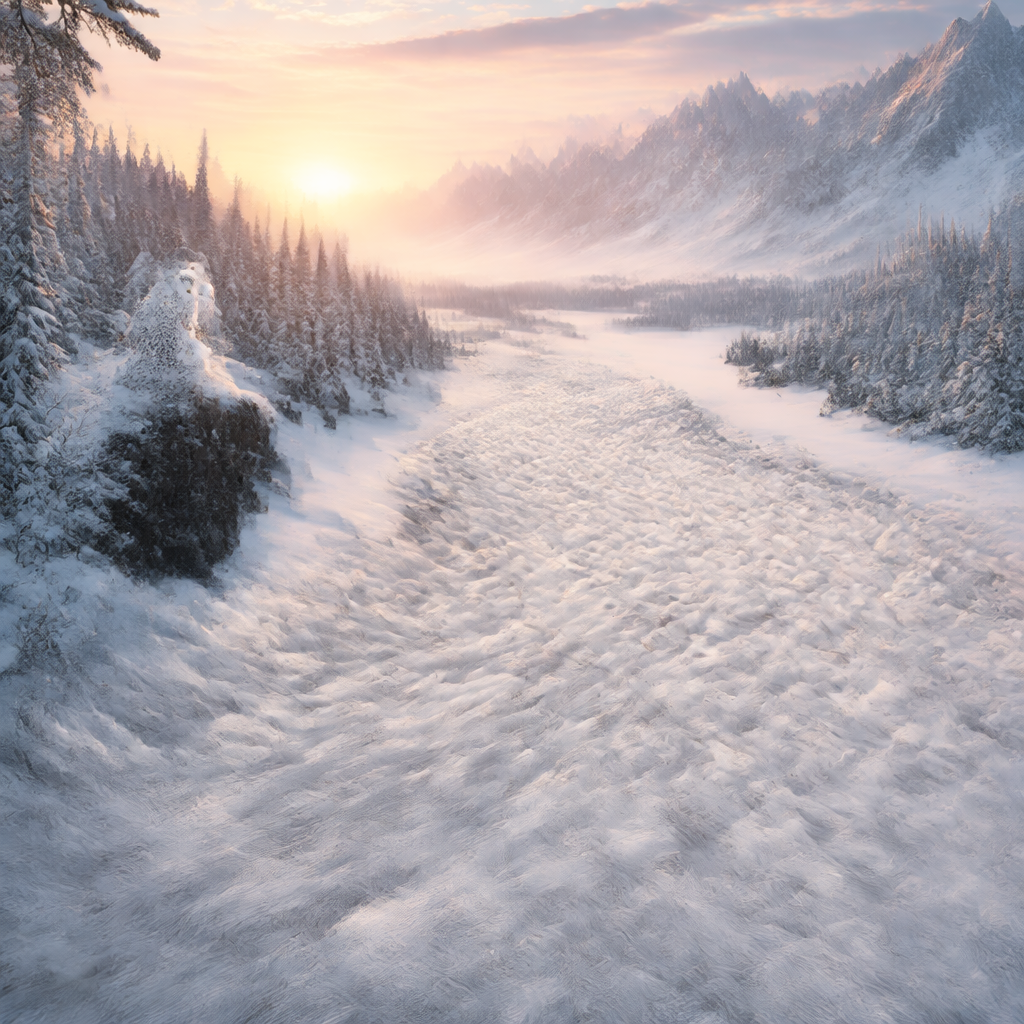 |
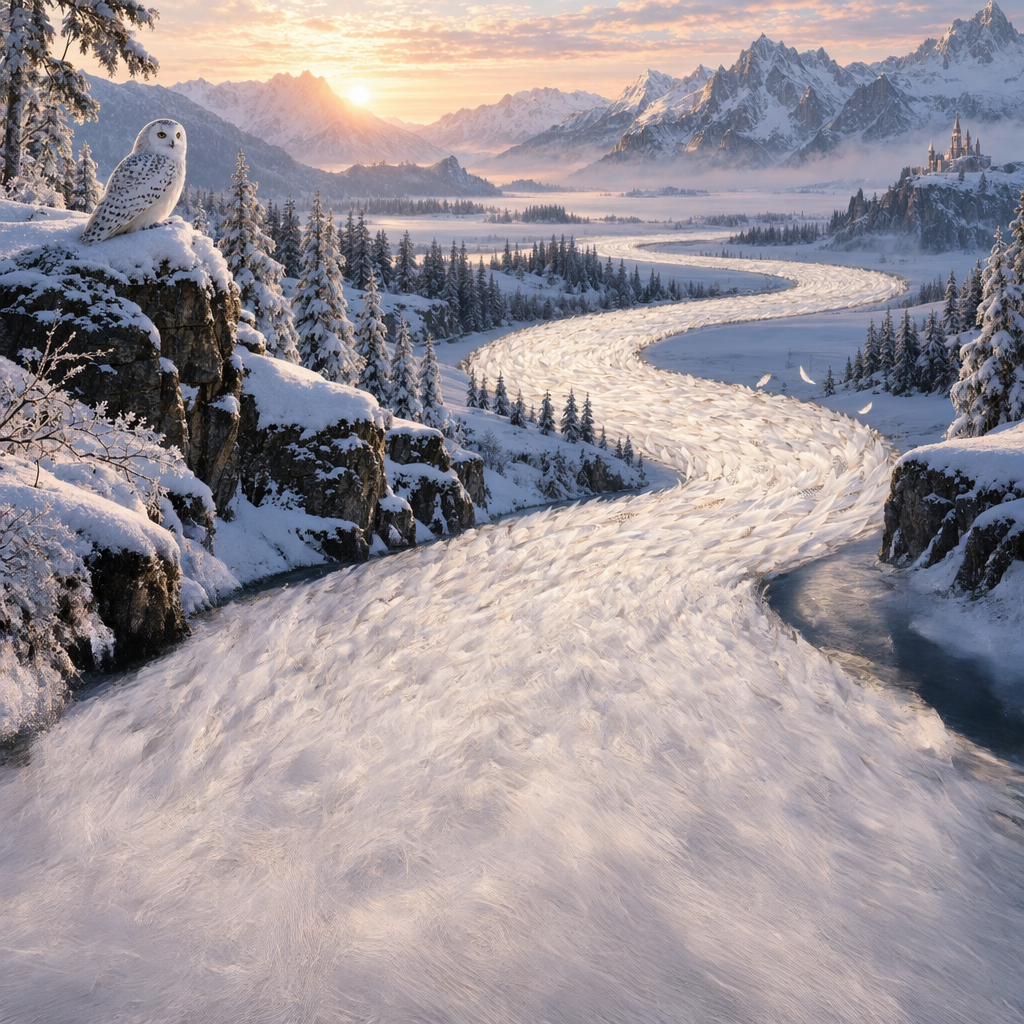 |
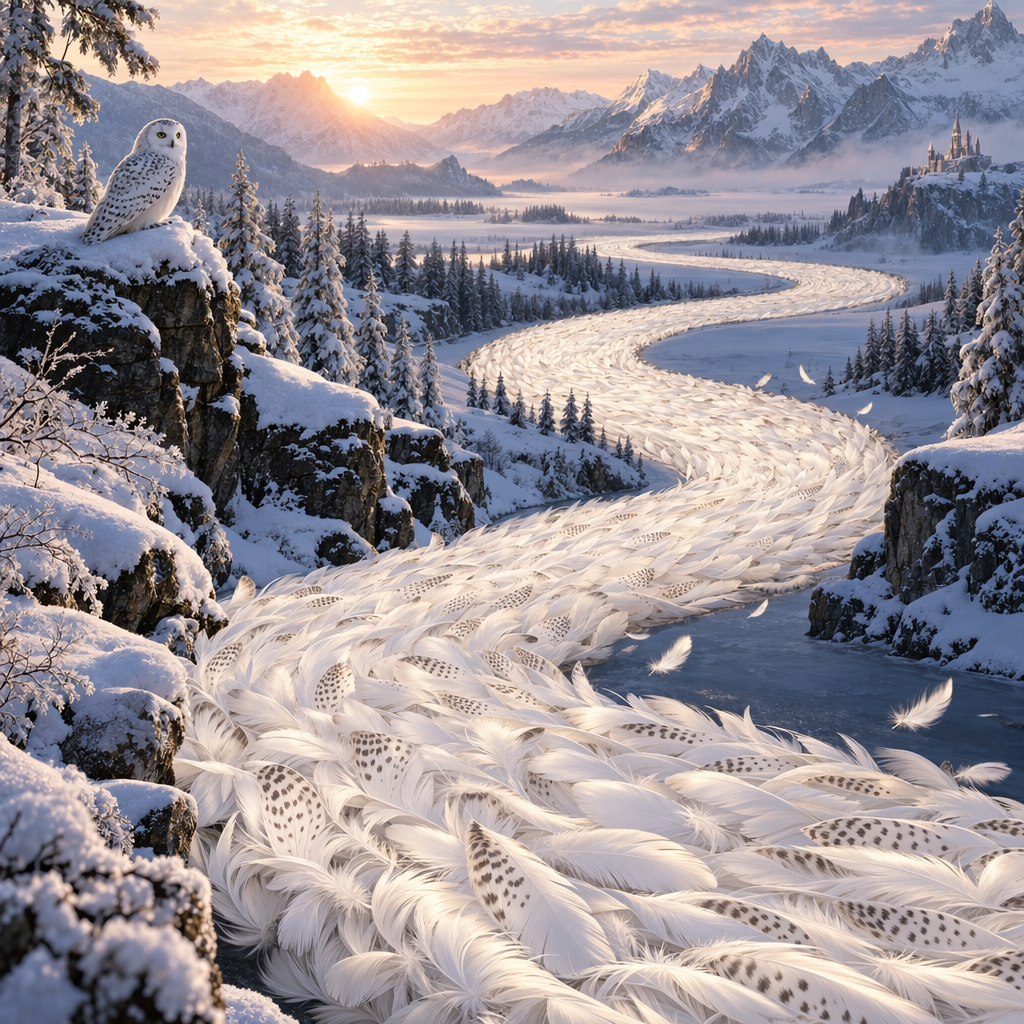 |
提示词:“绘制一条由白色猫头鹰羽毛组成的美丽河流,蜿蜒流经宁静的冬日景观。”
改写后的提示词
使用Responses图像工具时,主模型(例如gpt-5.5)会自动改写提示以改善效果。可从图像调用的revised_prompt读取改写内容。
来源示例43(json):以下保留协议载荷、配置、返回示意或语法定义;省略号及片段不代表完整可运行程序。
程序中的自然语言译释9:
一只灰色虎斑猫抱着一只戴橙色围巾的水獭;两只动物可爱友善,采用温暖、令人暖心的风格。
{
  "id": "ig_123",
  "type": "image_generation_call",
  "status": "completed",
  "revised_prompt": "A gray tabby cat hugging an otter. The otter is wearing an orange scarf. Both animals are cute and friendly, depicted in a warm, heartwarming style.",
  "result": "..."
}
编辑图像
图像编辑端点可以编辑已有图像、以其他图像为参考生成新图,也可以上传图像和蒙版来指定需替换区域。
使用参考图创建新图像
可以使用一张或多张图作为参考。下面使用4张输入图,生成装有参考物品的礼篮。
Responses可通过完整URL、Base64 data URL或Files API文件ID提供图像。
创建文件
来源示例44(javascript)
// [中文] 上传本地参考图到Files API并取得文件ID;这里的文件ID用于随后图像输入,不是生成结果ID。
import fs from "fs";
import OpenAI from "openai";

const openai = new OpenAI();

async function createFile(filePath) {
  const fileContent = fs.createReadStream(filePath);
  const result = await openai.files.create({
    file: fileContent,
    purpose: "vision",
  });
  return result.id;
}
来源示例45(python)
## [中文] 上传本地参考图到Files API并取得文件ID;这里的文件ID用于随后图像输入,不是生成结果ID。
from openai import OpenAI

client = OpenAI()


def create_file(file_path):
    with open(file_path, "rb") as file_content:
        result = client.files.create(
            file=file_content,
            purpose="vision",
        )
        return result.id
来源示例46(go)
// [中文] 上传本地参考图到Files API并取得文件ID;这里的文件ID用于随后图像输入,不是生成结果ID。
package main

import (
    "context"
    "fmt"
    "os"

    "github.com/openai/openai-go/v3"
)

func main() {
    client := openai.NewClient()
    file, err := os.Open("image.png")
    if err != nil {
        panic(err)
    }
    defer file.Close()

    uploaded, err := client.Files.New(context.Background(), openai.FileNewParams{
        File:    file,
        Purpose: openai.FilePurposeVision,
    })
    if err != nil {
        panic(err)
    }
    fmt.Println(uploaded.ID)
}
来源示例47(java)
// [中文] 上传本地参考图到Files API并取得文件ID;这里的文件ID用于随后图像输入,不是生成结果ID。
// [中文] 原例是API片段,使用前需已有client以及适当外层程序;本地仅保留源代码并检查注释,未独立编译。
import com.openai.client.OpenAIClient;
import com.openai.client.okhttp.OpenAIOkHttpClient;
import com.openai.models.files.FileCreateParams;
import com.openai.models.files.FilePurpose;
import java.nio.file.Path;

var file =
    client
        .files()
        .create(
            FileCreateParams.builder()
                .file(Path.of(System.getenv("OPENAI_EXAMPLE_FILE_PATH")))
                .purpose(FilePurpose.VISION)
                .build());

System.out.println(file.id());
来源示例48(ruby)
## [中文] 上传本地参考图到Files API并取得文件ID;这里的文件ID用于随后图像输入,不是生成结果ID。
require "openai"
require "pathname"

client = OpenAI::Client.new
file = client.files.create(
  file: Pathname("image.png"),
  purpose: OpenAI::Models::FilePurpose::VISION
)
puts(file.id)
创建Base64编码的图像
来源示例49(javascript)
// [中文] 读取本地图像并转换为Base64字符串,供data URL使用;此步骤本身不生成图像。
import fs from "fs";

function encodeImage(filePath) {
  const base64Image = fs.readFileSync(filePath, "base64");
  return base64Image;
}
来源示例50(python)
## [中文] 读取本地图像并转换为Base64字符串,供data URL使用;此步骤本身不生成图像。
import base64


def encode_image(file_path):
    with open(file_path, "rb") as f:
        base64_image = base64.b64encode(f.read()).decode("utf-8")
    return base64_image
来源示例51(go)
// [中文] 读取本地图像并转换为Base64字符串,供data URL使用;此步骤本身不生成图像。
package main

import (
    "encoding/base64"
    "fmt"
    "os"
)

func main() {
    image, err := os.ReadFile("image.png")
    if err != nil {
        panic(err)
    }
    fmt.Println(base64.StdEncoding.EncodeToString(image))
}
来源示例52(java)
// [中文] 读取本地图像并转换为Base64字符串,供data URL使用;此步骤本身不生成图像。
// [中文] 原例是API片段,使用前需已有client以及适当外层程序;本地仅保留源代码并检查注释,未独立编译。
import java.nio.file.Files;
import java.nio.file.Path;
import java.util.Base64;

System.out.println(encodeImage(Path.of("example.png")));

private static String encodeImage(Path path) throws java.io.IOException {
  return Base64.getEncoder().encodeToString(Files.readAllBytes(path));
}
来源示例53(csharp)
// [中文] 读取本地图像并转换为Base64字符串,供data URL使用;此步骤本身不生成图像。
using System;

Console.WriteLine(EncodeImage("example.png"));

static string EncodeImage(string filePath) => Convert.ToBase64String(File.ReadAllBytes(filePath));
来源示例54(ruby)
## [中文] 读取本地图像并转换为Base64字符串,供data URL使用;此步骤本身不生成图像。
require "base64"

image = File.binread("image.png")
puts(Base64.strict_encode64(image))
在Responses中提交参考图并生成礼篮:
来源示例55(javascript)
程序中的自然语言译释900:
生成一张白色背景的写实礼篮,配丝带与手写风格字体,标签保留“Relax & Unwind”,装入参考图中的全部物品。标签意为“放松身心”,图中仍使用原英文。
// [中文] 以四张参考图生成礼篮,混合使用Base64和文件ID输入,并从Responses工具结果保存图像。
import fs from "fs";
import OpenAI from "openai";

const openai = new OpenAI();

function encodeImage(filePath) {
  return fs.readFileSync(filePath, "base64");
}

async function createFile(filePath) {
  const result = await openai.files.create({
    file: fs.createReadStream(filePath),
    purpose: "vision",
  });
  return result.id;
}

const prompt = `Generate a photorealistic image of a gift basket on a white background
labeled 'Relax & Unwind' with a ribbon and handwriting-like font,
containing all the items in the reference pictures.`;

const base64Image1 = encodeImage("fixtures/body-lotion.png");
const base64Image2 = encodeImage("fixtures/soap.png");
const fileId1 = await createFile("fixtures/bath-bomb.png");
const fileId2 = await createFile("fixtures/incense-kit.png");

const response = await openai.responses.create({
  model: "gpt-6-astra",
  input: [
    {
      role: "user",
      content: [
        { type: "input_text", text: prompt },
        {
          type: "input_image",
          image_url: `data:image/png;base64,${base64Image1}`,
          detail: "auto",
        },
        {
          type: "input_image",
          image_url: `data:image/png;base64,${base64Image2}`,
          detail: "auto",
        },
        {
          type: "input_image",
          file_id: fileId1,
          detail: "auto",
        },
        {
          type: "input_image",
          file_id: fileId2,
          detail: "auto",
        },
      ],
    },
  ],
  tools: [{ type: "image_generation", model: "gpt-image-2.5-sunburst" }],
});

const imageData = response.output
  .filter((output) => output.type === "image_generation_call")
  .map((output) => output.result);

if (imageData.length > 0) {
  const imageBase64 = imageData[0];
  fs.writeFileSync("gift-basket.png", Buffer.from(imageBase64, "base64"));
} else {
  console.log(response.output_text);
}
来源示例56(python)
本段复用的中文释义:译释900。
## [中文] 以四张参考图生成礼篮,混合使用Base64和文件ID输入,并从Responses工具结果保存图像。
from openai import OpenAI
import base64

client = OpenAI()


def encode_image(file_path):
    with open(file_path, "rb") as image_file:
        return base64.b64encode(image_file.read()).decode("utf-8")


def create_file(file_path):
    with open(file_path, "rb") as file_content:
        result = client.files.create(file=file_content, purpose="vision")
    return result.id


prompt = """Generate a photorealistic image of a gift basket on a white background
labeled 'Relax & Unwind' with a ribbon and handwriting-like font,
containing all the items in the reference pictures."""

## [中文] 把第一张参考图转换为Base64。
base64_image1 = encode_image("body-lotion.png")
base64_image2 = encode_image("soap.png")
## [中文] 上传参考图并记录用于输入的文件ID。
file_id1 = create_file("bath-bomb.png")
file_id2 = create_file("incense-kit.png")

response = client.responses.create(
    model="gpt-6-astra",
    input=[
        {
            "role": "user",
            "content": [
                {"type": "input_text", "text": prompt},
                {
                    "type": "input_image",
                    "image_url": f"data:image/png;base64,{base64_image1}",
                },
                {
                    "type": "input_image",
                    "image_url": f"data:image/png;base64,{base64_image2}",
                },
                {
                    "type": "input_image",
                    "file_id": file_id1,
                },
                {
                    "type": "input_image",
                    "file_id": file_id2,
                },
            ],
        }
    ],
    tools=[{"type": "image_generation", "model": "gpt-image-2.5-sunburst"}],
)

## [中文] 筛选图像生成工具调用输出。
image_generation_calls = [
    output for output in response.output if output.type == "image_generation_call"
]

image_data = [output.result for output in image_generation_calls]

if image_data:
    image_base64 = image_data[0]
    with open("gift-basket.png", "wb") as f:
        f.write(base64.b64decode(image_base64))
else:
    print(response.output_text)
来源示例57(go)
本段复用的中文释义:译释30、译释900。
// [中文] 以四张参考图生成礼篮,混合使用Base64和文件ID输入,并从Responses工具结果保存图像。
package main

import (
    "context"
    "encoding/base64"
    "os"

    "github.com/openai/openai-go/v3"
    "github.com/openai/openai-go/v3/responses"
)

func main() {
    client := openai.NewClient()
    bathBombID := uploadImage(client, "bath-bomb.png")
    incenseKitID := uploadImage(client, "incense-kit.png")

    response, err := client.Responses.New(context.Background(), responses.ResponseNewParams{
        Model: "gpt-6-astra",
        Input: responses.ResponseNewParamsInputUnion{OfInputItemList: responses.ResponseInputParam{
            responses.ResponseInputItemParamOfMessage(
                responses.ResponseInputMessageContentListParam{
                    responses.ResponseInputContentParamOfInputText("Generate a photorealistic image of a gift basket on a white background labeled 'Relax & Unwind' with a ribbon and handwriting-like font, containing all the items in the reference pictures."),
                    {OfInputImage: &responses.ResponseInputImageParam{ImageURL: openai.String(dataURL("body-lotion.png")), Detail: responses.ResponseInputImageDetailAuto}},
                    {OfInputImage: &responses.ResponseInputImageParam{ImageURL: openai.String(dataURL("soap.png")), Detail: responses.ResponseInputImageDetailAuto}},
                    {OfInputImage: &responses.ResponseInputImageParam{FileID: openai.String(bathBombID), Detail: responses.ResponseInputImageDetailAuto}},
                    {OfInputImage: &responses.ResponseInputImageParam{FileID: openai.String(incenseKitID), Detail: responses.ResponseInputImageDetailAuto}},
                },
                responses.EasyInputMessageRoleUser,
            ),
        }},
        Tools: []responses.ToolUnionParam{{OfImageGeneration: &responses.ToolImageGenerationParam{Model: "gpt-image-2.5-sunburst"}}},
    })
    if err != nil {
        panic(err)
    }
    saveFirstGeneratedImage(response, "gift-basket.png")
}

func uploadImage(client openai.Client, filename string) string {
    file, err := os.Open(filename)
    if err != nil {
        panic(err)
    }
    defer file.Close()
    uploaded, err := client.Files.New(context.Background(), openai.FileNewParams{File: file, Purpose: openai.FilePurposeVision})
    if err != nil {
        panic(err)
    }
    return uploaded.ID
}

func dataURL(filename string) string {
    image, err := os.ReadFile(filename)
    if err != nil {
        panic(err)
    }
    return "data:image/png;base64," + base64.StdEncoding.EncodeToString(image)
}

func saveFirstGeneratedImage(response *responses.Response, filename string) {
    for _, output := range response.Output {
        if output.Type != "image_generation_call" {
            continue
        }
        image, err := base64.StdEncoding.DecodeString(output.AsImageGenerationCall().Result)
        if err != nil {
            panic(err)
        }
        if err := os.WriteFile(filename, image, 0o600); err != nil {
            panic(err)
        }
        return
    }
    panic("response did not include an image generation call")
}
来源示例58(java)
本段复用的中文释义:译释23、译释24、译释900。
// [中文] 以四张参考图生成礼篮,混合使用Base64和文件ID输入,并从Responses工具结果保存图像。
// [中文] 原例是API片段,使用前需已有client以及适当外层程序;本地仅保留源代码并检查注释,未独立编译。
import com.openai.client.OpenAIClient;
import com.openai.client.okhttp.OpenAIOkHttpClient;
import com.openai.models.files.FileCreateParams;
import com.openai.models.files.FilePurpose;
import com.openai.models.responses.ResponseCreateParams;
import com.openai.models.responses.ResponseInputImage;
import com.openai.models.responses.ResponseInputItem;
import com.openai.models.responses.Tool;
import java.nio.file.Files;
import java.nio.file.Path;
import java.util.Base64;
import java.util.List;

Path lotionImage = Path.of(System.getenv("OPENAI_EXAMPLE_IMAGE_PATH"));
Path soapImage = Path.of(System.getenv("OPENAI_EXAMPLE_IMAGE_PATH_2"));
Path bathBombImage = Path.of(System.getenv("OPENAI_EXAMPLE_IMAGE_PATH_3"));
Path incenseImage = Path.of(System.getenv("OPENAI_EXAMPLE_IMAGE_PATH_4"));
String lotionBase64 = Base64.getEncoder().encodeToString(Files.readAllBytes(lotionImage));
String soapBase64 = Base64.getEncoder().encodeToString(Files.readAllBytes(soapImage));
var firstFile =
    client
        .files()
        .create(
            FileCreateParams.builder().file(bathBombImage).purpose(FilePurpose.VISION).build());
var secondFile =
    client
        .files()
        .create(
            FileCreateParams.builder().file(incenseImage).purpose(FilePurpose.VISION).build());
String prompt =
    """
    Generate a photorealistic image of a gift basket on a white background
    labeled 'Relax & Unwind' with a ribbon and handwriting-like font,
    containing all the items in the reference pictures.
    """;
var input =
    ResponseInputItem.ofMessage(
        ResponseInputItem.Message.builder()
            .role(ResponseInputItem.Message.Role.USER)
            .addInputTextContent(prompt)
            .addContent(
                ResponseInputImage.builder()
                    .detail(ResponseInputImage.Detail.AUTO)
                    .imageUrl("data:image/png;base64," + lotionBase64)
                    .build())
            .addContent(
                ResponseInputImage.builder()
                    .detail(ResponseInputImage.Detail.AUTO)
                    .imageUrl("data:image/png;base64," + soapBase64)
                    .build())
            .addContent(
                ResponseInputImage.builder()
                    .detail(ResponseInputImage.Detail.AUTO)
                    .fileId(firstFile.id())
                    .build())
            .addContent(
                ResponseInputImage.builder()
                    .detail(ResponseInputImage.Detail.AUTO)
                    .fileId(secondFile.id())
                    .build())
            .build());
var response =
    client
        .responses()
        .create(
            ResponseCreateParams.builder()
                .model("gpt-6-astra")
                .inputOfResponse(List.of(input))
                .addTool(Tool.ImageGeneration.builder().build())
                .build());
var image =
    response.output().stream()
        .flatMap(item -> item.imageGenerationCall().stream())
        .findFirst()
        .orElseThrow(() -> new IllegalStateException("No image generation call returned"));
Files.write(
    Path.of("gift-basket.png"),
    Base64.getDecoder()
        .decode(
            image.result().orElseThrow(() -> new IllegalStateException("No image returned"))));
来源示例59(ruby)
本段复用的中文释义:译释24、译释900。
## [中文] 以四张参考图生成礼篮,混合使用Base64和文件ID输入,并从Responses工具结果保存图像。
require "base64"
require "openai"
require "pathname"

client = OpenAI::Client.new
base64_images = ["body-lotion.png", "soap.png"].map do |path|
  Base64.strict_encode64(File.binread(path))
end
file_ids = [
  client.files.create(file: Pathname("bath-bomb.png"), purpose: :vision).id,
  client.files.create(file: Pathname("incense-kit.png"), purpose: :vision).id
]
prompt = <<~PROMPT
  Generate a photorealistic image of a gift basket on a white background
  labeled 'Relax & Unwind' with a ribbon and handwriting-like font,
  containing all the items in the reference pictures.
PROMPT
response = client.responses.create(
  model: "gpt-6-astra",
  input: [
    {
      role: :user,
      content: [
        {
          type: :input_text,
          text: prompt
        },
        *base64_images.map do |image|
          {
            type: :input_image,
            image_url: "data:image/png;base64,#{image}"
          }
        end,
        *file_ids.map do |file_id|
          {
            type: :input_image,
            file_id: file_id
          }
        end
      ]
    }
  ],
  tools: [
    {
      type: :image_generation,
      model: "gpt-image-2.5-sunburst"
    }
  ]
)

image_call = response.output.find do |item|
  item.is_a?(OpenAI::Models::Responses::ResponseOutputItem::ImageGenerationCall)
end
unless image_call.is_a?(OpenAI::Models::Responses::ResponseOutputItem::ImageGenerationCall)
  raise "No image generation call returned"
end

File.binwrite("gift-basket.png", Base64.strict_decode64(image_call.result))
使用Images API进行参考图编辑:
来源示例60(javascript)
本段复用的中文释义:译释900。
// [中文] 调用Images编辑端点,提交多张产品参考图与完整礼篮提示;解码返回图像并保存。
import fs from "fs";
import OpenAI, { toFile } from "openai";

const client = new OpenAI();

const prompt = `
Generate a photorealistic image of a gift basket on a white background
labeled 'Relax & Unwind' with a ribbon and handwriting-like font,
containing all the items in the reference pictures.
`;

const imageFiles = [
  "fixtures/bath-bomb.png",
  "fixtures/body-lotion.png",
  "fixtures/incense-kit.png",
  "fixtures/soap.png",
];

const images = await Promise.all(
  imageFiles.map(
    async (file) =>
      await toFile(fs.createReadStream(file), null, {
        type: "image/png",
      })
  )
);

const response = await client.images.edit({
  model: "gpt-image-2.5-sunburst",
  image: images,
  prompt,
});

// Save the image to a file
// [中文] 取出返回的Base64图像数据。
const image_base64 = response.data[0].b64_json;
// [中文] 将Base64字符串解码为可写入文件的字节。
const image_bytes = Buffer.from(image_base64, "base64");
fs.writeFileSync("basket.png", image_bytes);
来源示例61(python)
本段复用的中文释义:译释900。
## [中文] 调用Images编辑端点,提交多张产品参考图与完整礼篮提示;解码返回图像并保存。
import base64
from openai import OpenAI

client = OpenAI()

prompt = """
Generate a photorealistic image of a gift basket on a white background
labeled 'Relax & Unwind' with a ribbon and handwriting-like font,
containing all the items in the reference pictures.
"""

result = client.images.edit(
    model="gpt-image-2.5-sunburst",
    image=[
        open("body-lotion.png", "rb"),
        open("bath-bomb.png", "rb"),
        open("incense-kit.png", "rb"),
        open("soap.png", "rb"),
    ],
    prompt=prompt,
)

image_base64 = result.data[0].b64_json
## [中文] 将Base64还原为二进制图像字节。
image_bytes = base64.b64decode(image_base64)

## Save the image to a file
with open("gift-basket.png", "wb") as f:
    f.write(image_bytes)
来源示例62(go)
本段复用的中文释义:译释900。
// [中文] 调用Images编辑端点,提交多张产品参考图与完整礼篮提示;解码返回图像并保存。
package main

import (
    "context"
    "encoding/base64"
    "io"
    "os"

    "github.com/openai/openai-go/v3"
)

func main() {
    client := openai.NewClient()
    files, closeFiles := openImages(
        "bath-bomb.png",
        "body-lotion.png",
        "incense-kit.png",
        "soap.png",
    )
    defer closeFiles()

    response, err := client.Images.Edit(context.Background(), openai.ImageEditParams{
        Model: openai.ImageModel("gpt-image-2.5-sunburst"),
        Image: openai.ImageEditParamsImageUnion{OfFileArray: files},
        Prompt: "Generate a photorealistic image of a gift basket on a white background " +
            "labeled 'Relax & Unwind' with a ribbon and handwriting-like font, containing all the items in the reference pictures.",
    })
    if err != nil {
        panic(err)
    }
    saveImage("basket.png", response.Data[0].B64JSON)
}

func openImages(names ...string) ([]io.Reader, func()) {
    images := make([]io.Reader, 0, len(names))
    files := make([]*os.File, 0, len(names))
    for _, name := range names {
        file, err := os.Open(name)
        if err != nil {
            closeFiles(files)
            panic(err)
        }
        images = append(images, openai.File(file, name, "image/png"))
        files = append(files, file)
    }
    return images, func() { closeFiles(files) }
}

func closeFiles(files []*os.File) {
    for _, file := range files {
        if err := file.Close(); err != nil {
            panic(err)
        }
    }
}

func saveImage(filename, encoded string) {
    image, err := base64.StdEncoding.DecodeString(encoded)
    if err != nil {
        panic(err)
    }
    if err := os.WriteFile(filename, image, 0o600); err != nil {
        panic(err)
    }
}
来源示例63(java)
本段复用的中文释义:译释900。
// [中文] 调用Images编辑端点,提交多张产品参考图与完整礼篮提示;解码返回图像并保存。
// [中文] 原例是API片段,使用前需已有client以及适当外层程序;本地仅保留源代码并检查注释,未独立编译。
import com.openai.client.OpenAIClient;
import com.openai.client.okhttp.OpenAIOkHttpClient;
import com.openai.core.MultipartField;
import com.openai.models.images.ImageEditParams;
import java.io.IOException;
import java.io.InputStream;
import java.nio.file.Files;
import java.nio.file.Path;
import java.util.Base64;
import java.util.List;

Path lotion = Path.of(System.getenv("OPENAI_EXAMPLE_IMAGE_PATH"));
Path soap = Path.of(System.getenv("OPENAI_EXAMPLE_IMAGE_PATH_2"));
Path bathBomb = Path.of(System.getenv("OPENAI_EXAMPLE_IMAGE_PATH_3"));
Path incense = Path.of(System.getenv("OPENAI_EXAMPLE_IMAGE_PATH_4"));
try (InputStream lotionImage = Files.newInputStream(lotion);
    InputStream bathBombImage = Files.newInputStream(bathBomb);
    InputStream incenseImage = Files.newInputStream(incense);
    InputStream soapImage = Files.newInputStream(soap)) {
  var images =
      client
          .images()
          .edit(
              ImageEditParams.builder()
                  .model("gpt-image-2.5-sunburst")
                  .image(
                      MultipartField.<ImageEditParams.Image>builder()
                          .value(
                              ImageEditParams.Image.ofInputStreams(
                                  List.of(lotionImage, bathBombImage, incenseImage, soapImage)))
                          .contentType("image/png")
                          .filename("gift-basket-reference.png")
                          .build())
                  .prompt(
                      """
                      Generate a photorealistic image of a gift basket on a white background
                      labeled 'Relax & Unwind' with a ribbon and handwriting-like font,
                      containing all the items in the reference pictures.
                      """)
                  .build());

  Files.write(
      Path.of("gift-basket.png"),
      Base64.getDecoder().decode(images.data().orElseThrow().get(0).b64Json().orElseThrow()));
}
来源示例64(ruby)
本段复用的中文释义:译释23、译释900。
## [中文] 为每张PNG输入显式构造FilePart并设置MIME类型,再提交多图编辑。
require "base64"
require "openai"
require "pathname"

client = OpenAI::Client.new
images = %w[body-lotion.png bath-bomb.png incense-kit.png soap.png].map do |path|
  OpenAI::FilePart.new(Pathname(path), content_type: "image/png")
end
result = client.images.edit(
  image: images,
  model: "gpt-image-2.5-sunburst",
  prompt: <<~PROMPT
    Generate a photorealistic image of a gift basket on a white background
    labeled 'Relax & Unwind' with a ribbon and handwriting-like font,
    containing all the items in the reference pictures.
  PROMPT
)
generated_image = result.data&.first or raise "No image returned"
File.binwrite("gift-basket.png", Base64.strict_decode64(generated_image.b64_json))
来源示例65(bash)
本段复用的中文释义:译释900。
## [中文] 调用Images编辑端点,提交多张产品参考图与完整礼篮提示;解码返回图像并保存。
curl -s -D >(grep -i x-request-id >&2) \
  -o >(jq -r '.data[0].b64_json' | base64 --decode > gift-basket.png) \
  -X POST "https://api.openai.com/v1/images/edits" \
  -H "Authorization: Bearer $OPENAI_API_KEY" \
  -F "model=gpt-image-2.5-sunburst" \
  -F "image[]=@body-lotion.png" \
  -F "image[]=@bath-bomb.png" \
  -F "image[]=@incense-kit.png" \
  -F "image[]=@soap.png" \
  -F 'prompt=Generate a photorealistic image of a gift basket on a white background labeled "Relax & Unwind" with a ribbon and handwriting-like font, containing all the items in the reference pictures'
来源示例66(bash)
本段复用的中文释义:译释900。
## [中文] 调用Images编辑端点,提交多张产品参考图与完整礼篮提示;解码返回图像并保存。
openai images edit \
  --model gpt-image-2.5-sunburst \
  --image body-lotion.png \
  --image bath-bomb.png \
  --image incense-kit.png \
  --image soap.png \
  --prompt 'Generate a photorealistic image of a gift basket on a white background labeled "Relax & Unwind" with a ribbon and handwriting-like font, containing all the items in the reference pictures' \
  --raw-output \
  --transform 'data.0.b64_json' | base64 --decode > gift-basket.png
参考输入:
| 身体乳 | 肥皂 | 香薰套装 | 浴球 |
|---|---|---|---|
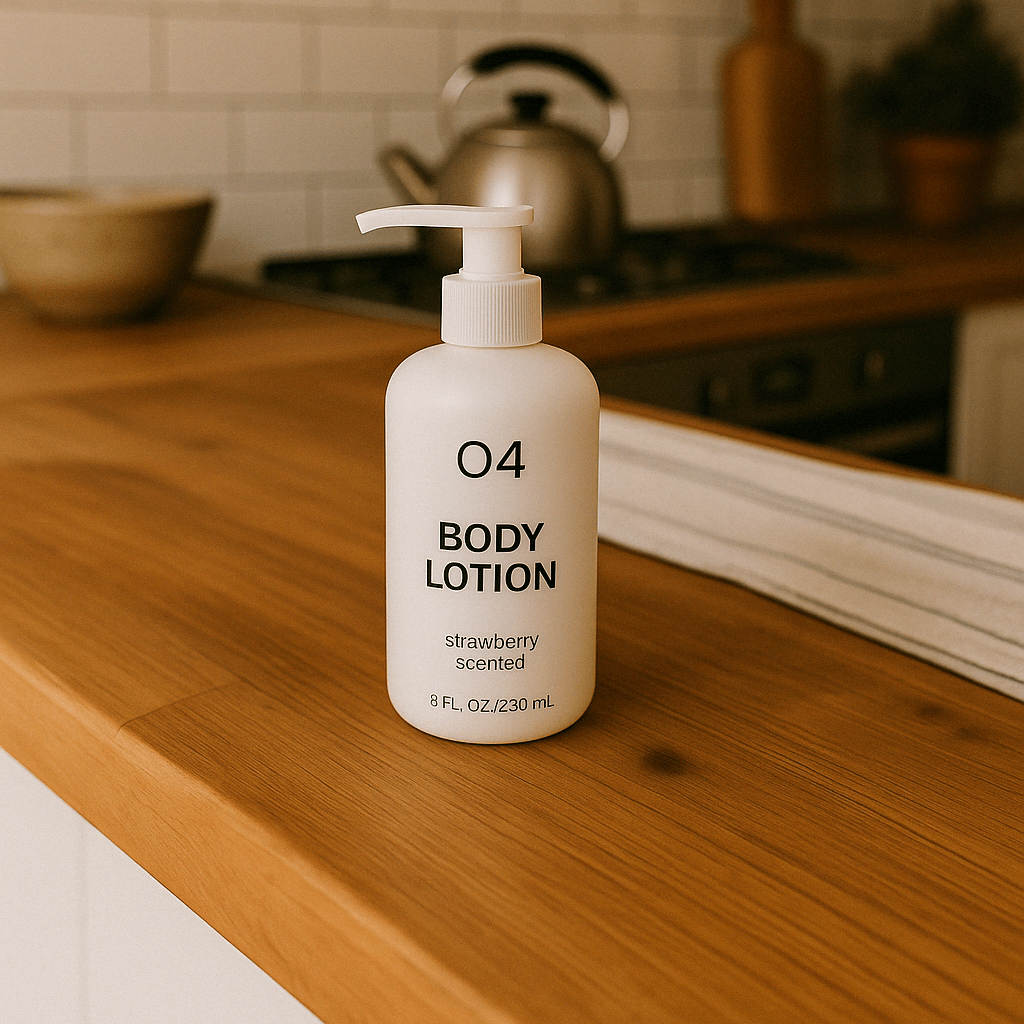 |
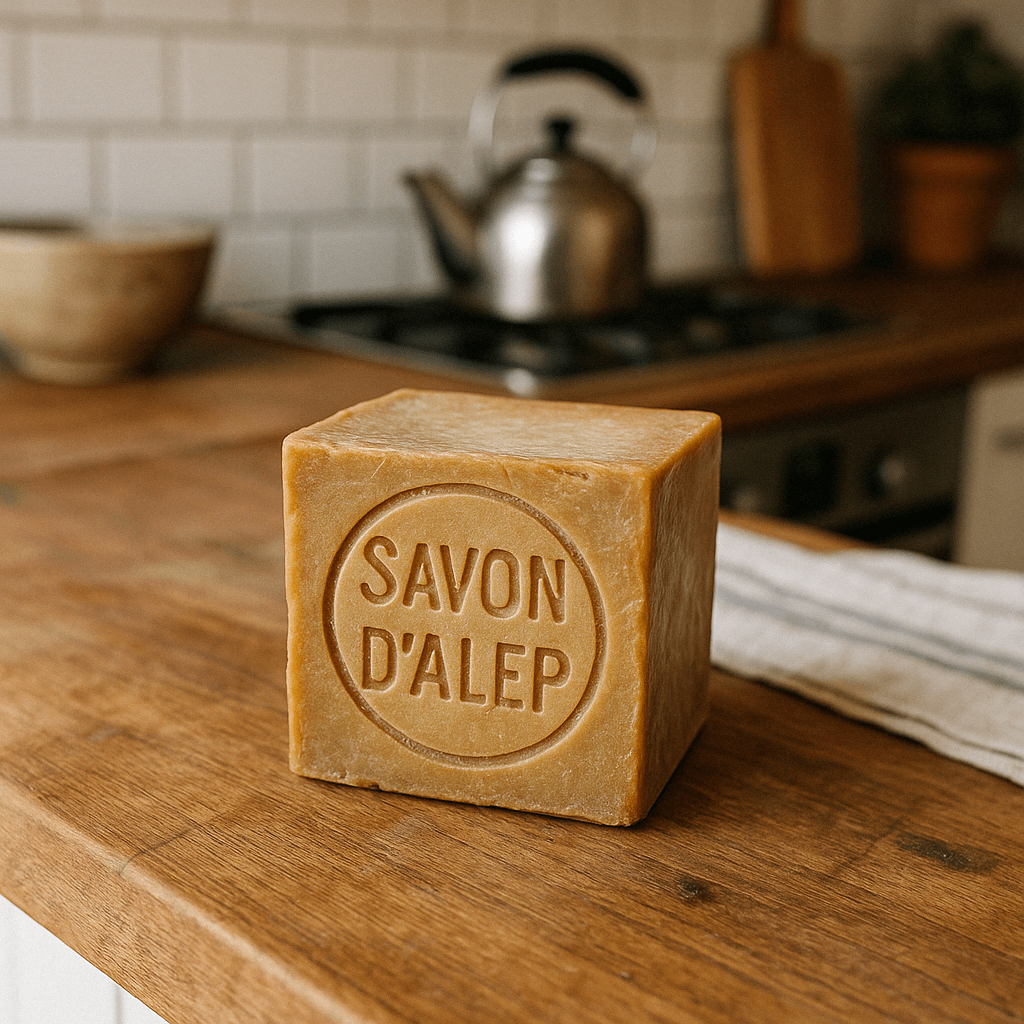 |
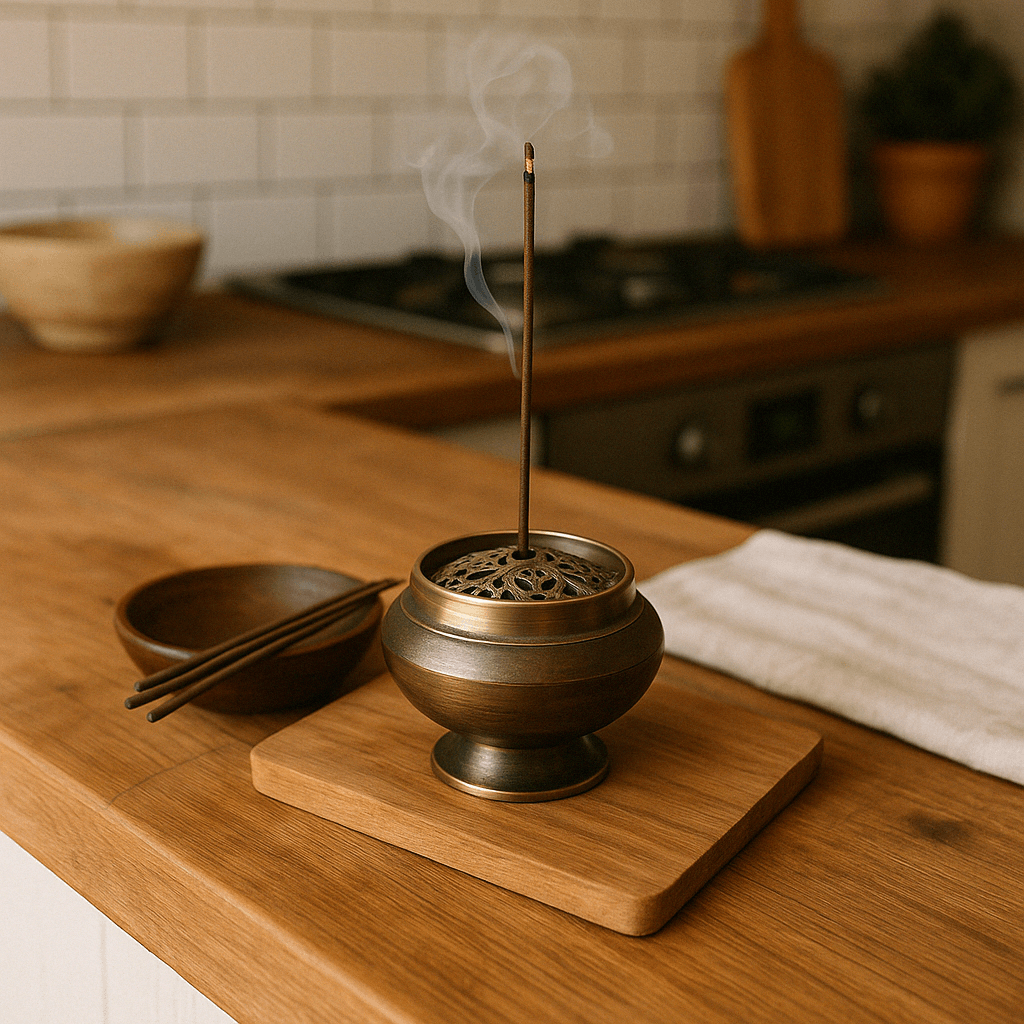 |
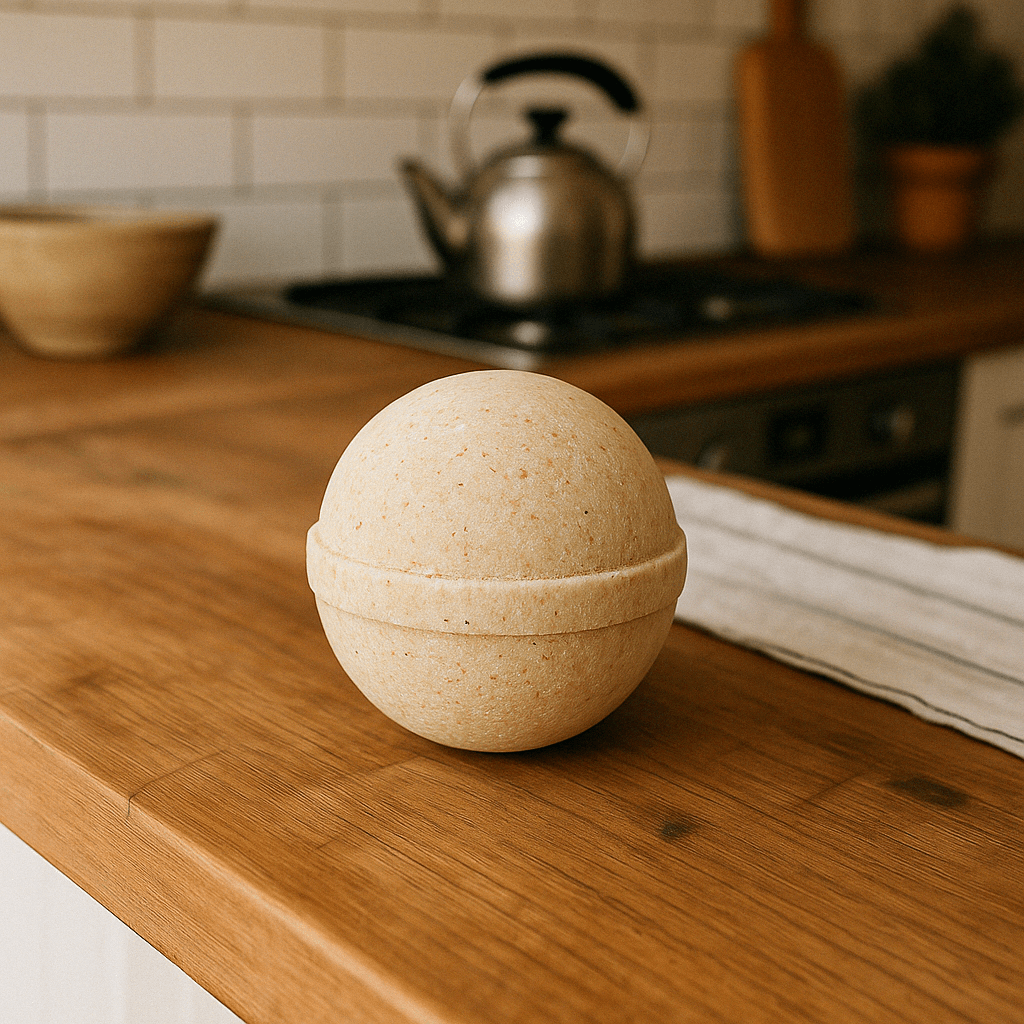 |

使用标注引导编辑
支持的GPT Image 2.5和2.6模型可通过Images API的POST /v1/images/edits端点执行标注引导编辑。在Responses API中进行区域编辑时,使用蒙版。使用独立的标注图层指出修改位置,再在prompt中描述修改内容。
将厨房原图和透明标注图层下载到同一目录。标注图层圈出了要改色的花瓶。
下面三个语言示例使用同一提示词,其中文含义为:把红圈中的条纹花瓶改为纯钴蓝色陶瓷,保留花瓶形状、干花枝及厨房其余部分,最终照片中移除红圈。
## [中文] 分别打开原图和透明标注PNG,以image和markup提交;将返回的Base64图像解码并保存为vase.png。
## [中文] 标注只作用于第一张输入图像,不与mask或prompt_rewriter同时使用。
import base64
from pathlib import Path

from openai import OpenAI

client = OpenAI()
overlay = Path("markup-vase-overlay-gpt-image-2-6.png")
with open("kitchen.webp", "rb") as image, overlay.open("rb") as markup:
    result = client.images.edit(
        model="gpt-image-2.6-flare",
        image=("kitchen.webp", image, "image/webp"),
        markup=(overlay.name, markup, "image/png"),
        quality="medium",
        prompt=(
            "Recolor the striped vase inside the red circle to solid cobalt blue ceramic. "
            "Keep its shape, the dried stems, and the rest of the kitchen unchanged. "
            "Remove the red circle from the finished photo."
        ),
    )

Path("vase.png").write_bytes(base64.b64decode(result.data[0].b64_json))
// [中文] 分别打开原图和透明标注PNG,以image和markup提交;将返回的Base64图像解码并保存为vase.png。
// [中文] 标注只作用于第一张输入图像,不与mask或prompt_rewriter同时使用。
client := openai.NewClient()
image, err := os.Open("kitchen.webp")
if err != nil {
panic(err)
}
defer image.Close()
markup, err := os.Open("markup-vase-overlay-gpt-image-2-6.png")
if err != nil {
panic(err)
}
defer markup.Close()
response, err := client.Images.Edit(context.Background(), openai.ImageEditParams{
Model: openai.ImageModel("gpt-image-2.6-flare"),
Image: openai.ImageEditParamsImageUnion{OfFile: openai.File(image, "kitchen.webp", "image/webp")},
Markup: openai.File(markup, "markup-vase-overlay-gpt-image-2-6.png", "image/png"),
Quality: "medium",
Prompt: "Recolor the striped vase inside the red circle to solid cobalt blue ceramic. " +
"Keep its shape, the dried stems, and the rest of the kitchen unchanged. " +
"Remove the red circle from the finished photo.",
})
if err != nil {
panic(err)
}
result, err := base64.StdEncoding.DecodeString(response.Data[0].B64JSON)
if err != nil {
panic(err)
}
if err := os.WriteFile("vase.png", result, 0o600); err != nil {
panic(err)
}## [中文] 分别打开原图和透明标注PNG,以image和markup提交;将返回的Base64图像解码并保存为vase.png。
## [中文] 标注只作用于第一张输入图像,不与mask或prompt_rewriter同时使用。
set -euo pipefail
curl --fail --silent --show-error https://api.openai.com/v1/images/edits \
-H "Authorization: Bearer $OPENAI_API_KEY" \
-F model=gpt-image-2.6-flare \
-F quality=medium \
-F 'image=@kitchen.webp;type=image/webp' \
-F 'markup=@markup-vase-overlay-gpt-image-2-6.png;type=image/png' \
-F 'prompt=Recolor the striped vase inside the red circle to solid cobalt blue ceramic. Keep its shape, the dried stems, and the rest of the kitchen unchanged. Remove the red circle from the finished photo.' |
jq -er '.data[0].b64_json' | base64 --decode > vase.png
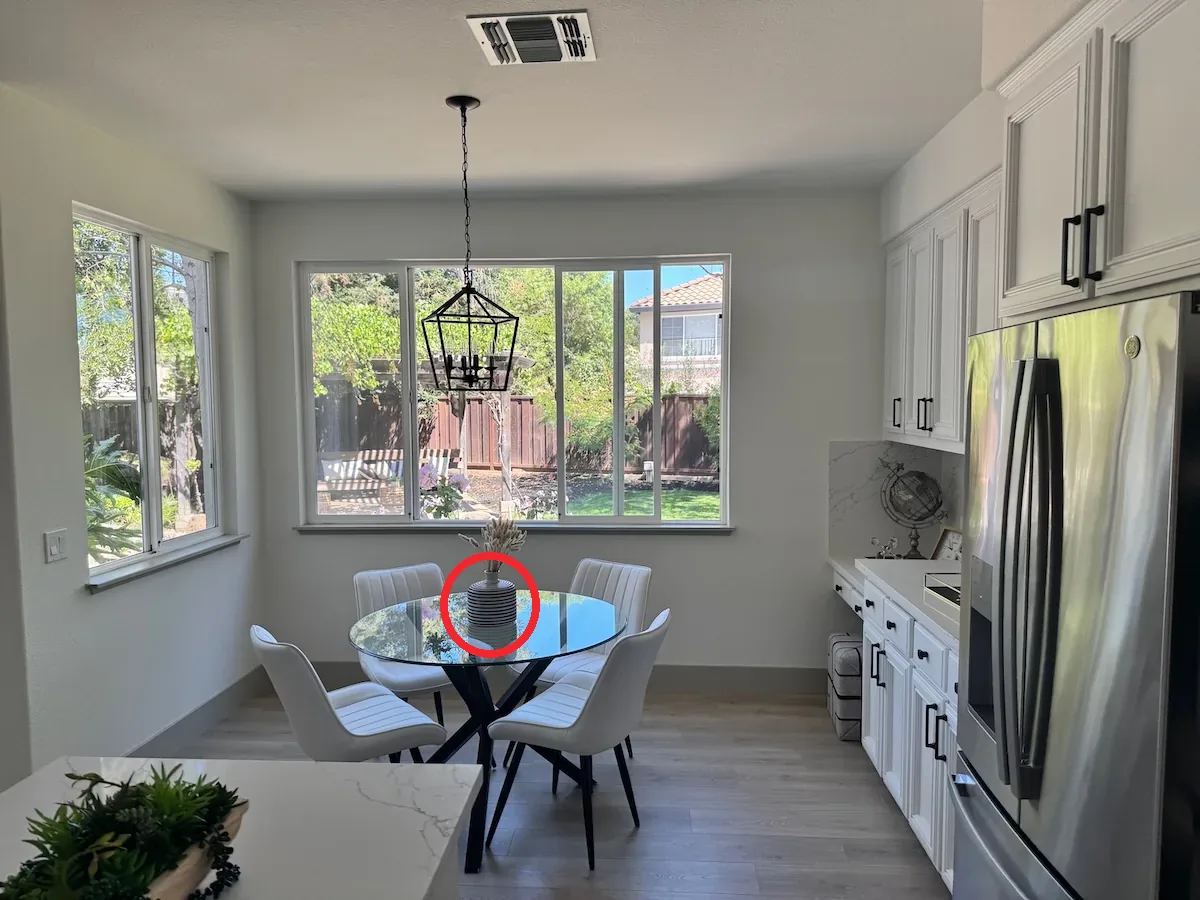
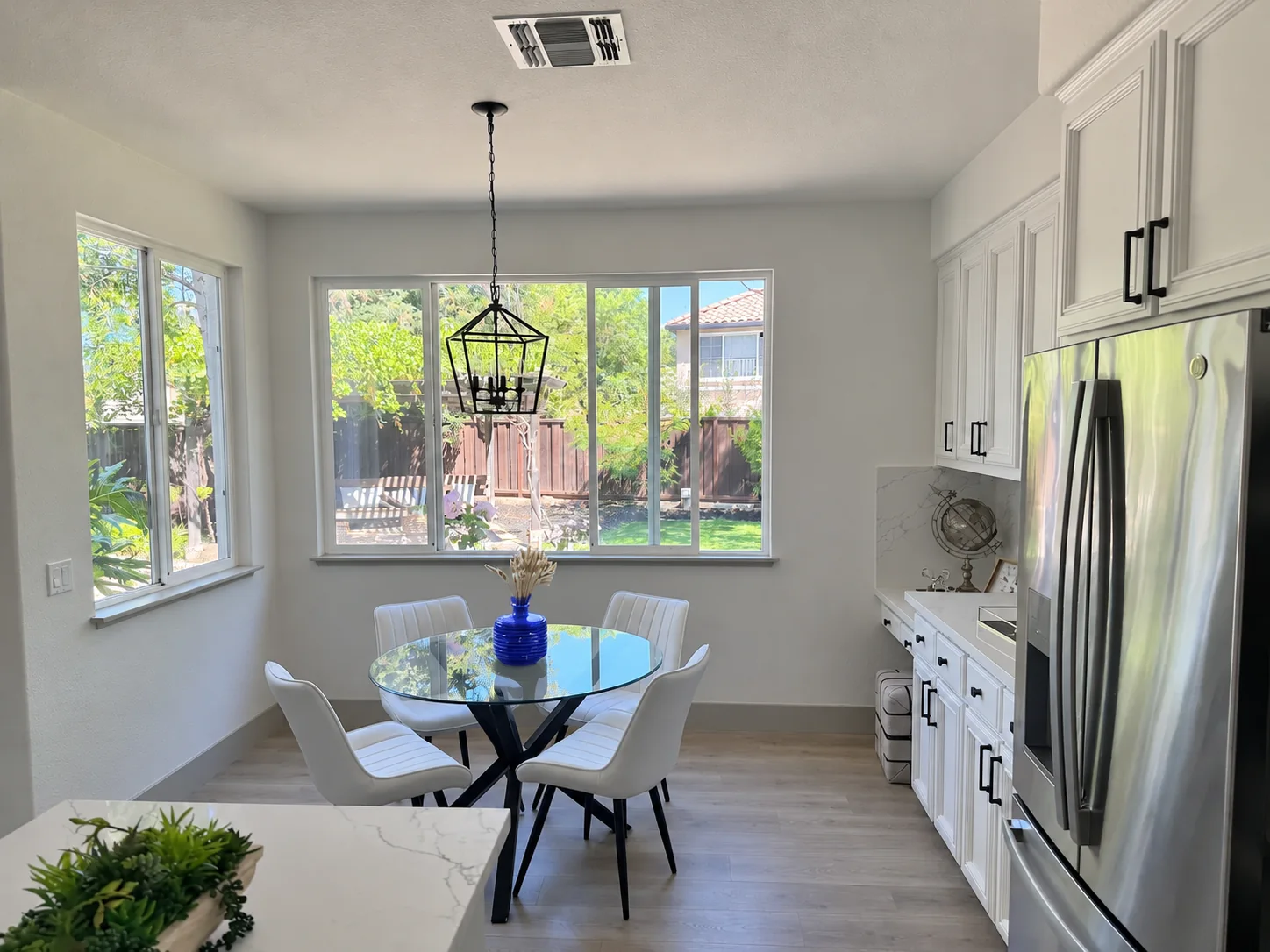
- 第一张输入保持为原图。
- 另建包含圆圈、草图等标注的透明PNG。调整方向后,标注层与第一张图的宽高必须一致。PNG必须含透明像素,不能压平到原图中。
- 用
markup发送标注层。multipart请求接收文件上传;JSON请求接收恰好包含image_url或file_id之一的对象,image_url可为HTTPS URL或Base64数据URL。JSON编辑请求使用images输入数组。 - 描述修改要求和要保留的细节,使用前检查结果。
标注只作用于第一张输入,其他图作为参考。第一张输入和标注层各自最多16,777,216像素;标注文件另有50 MB上限。markup不能与mask或prompt_rewriter组合。
使用蒙版编辑图像
蒙版用于指示需要修改的部分。使用GPT Image时,会额外向模型发送编辑引导指令。蒙版机制以提示引导为基础,模型可能无法完全精确地遵循蒙版轮廓。输入多张图时,蒙版作用于第一张。
Responses API:
来源示例67(javascript)
程序中的自然语言译释10:
生成同一个阳光照耀的室内休息区与泳池,但泳池里要有一只火烈鸟。
// [中文] 通过Responses图像工具提交原图与蒙版,要求在泳池中加入火烈鸟;蒙版仅是编辑引导。
import fs from "fs";
import OpenAI from "openai";

const openai = new OpenAI();

async function createFile(filePath) {
  const result = await openai.files.create({
    file: fs.createReadStream(filePath),
    purpose: "vision",
  });
  return result.id;
}

const fileId = await createFile("fixtures/sunlit_lounge.png");
const maskId = await createFile("fixtures/mask.png");

const response = await openai.responses.create({
  model: "gpt-6-astra",
  input: [
    {
      role: "user",
      content: [
        {
          type: "input_text",
          text: "generate an image of the same sunlit indoor lounge area with a pool but the pool should contain a flamingo",
        },
        {
          type: "input_image",
          file_id: fileId,
          detail: "auto",
        },
      ],
    },
  ],
  tools: [
    {
      type: "image_generation",
      model: "gpt-image-2.5-sunburst",
      quality: "high",
      input_image_mask: {
        file_id: maskId,
      },
    },
  ],
});

const imageData = response.output
  .filter((output) => output.type === "image_generation_call")
  .map((output) => output.result);

if (imageData.length > 0) {
  const imageBase64 = imageData[0];
  fs.writeFileSync("lounge.png", Buffer.from(imageBase64, "base64"));
}
来源示例68(python)
本段复用的中文释义:译释10。
## [中文] 通过Responses图像工具提交原图与蒙版,要求在泳池中加入火烈鸟;蒙版仅是编辑引导。
from openai import OpenAI
import base64

client = OpenAI()


def create_file(file_path):
    with open(file_path, "rb") as file_content:
        result = client.files.create(file=file_content, purpose="vision")
    return result.id


fileId = create_file("sunlit_lounge.png")
maskId = create_file("mask.png")

response = client.responses.create(
    model="gpt-6-astra",
    input=[
        {
            "role": "user",
            "content": [
                {
                    "type": "input_text",
                    "text": "generate an image of the same sunlit indoor lounge area with a pool but the pool should contain a flamingo",
                },
                {
                    "type": "input_image",
                    "file_id": fileId,
                },
            ],
        },
    ],
    tools=[
        {
            "type": "image_generation",
            "model": "gpt-image-2.5-sunburst",
            "quality": "high",
            "input_image_mask": {
                "file_id": maskId,
            },
        },
    ],
)

image_data = [
    output.result
    for output in response.output
    if output.type == "image_generation_call"
]

if image_data:
    image_base64 = image_data[0]
    with open("lounge.png", "wb") as f:
        f.write(base64.b64decode(image_base64))
来源示例69(go)
程序中的自然语言译释11:
生成同一个阳光照耀的室内休息区与泳池,但泳池里应有一只火烈鸟。
本段复用的中文释义:译释30。
// [中文] 通过Responses图像工具提交原图与蒙版,要求在泳池中加入火烈鸟;蒙版仅是编辑引导。
package main

import (
    "context"
    "encoding/base64"
    "os"

    "github.com/openai/openai-go/v3"
    "github.com/openai/openai-go/v3/responses"
)

func main() {
    client := openai.NewClient()
    imageID := uploadImage(client, "sunlit_lounge.png")
    maskID := uploadImage(client, "mask.png")
    response, err := client.Responses.New(context.Background(), responses.ResponseNewParams{
        Model: "gpt-6-astra",
        Input: responses.ResponseNewParamsInputUnion{OfInputItemList: responses.ResponseInputParam{
            responses.ResponseInputItemParamOfMessage(
                responses.ResponseInputMessageContentListParam{
                    responses.ResponseInputContentParamOfInputText("Generate an image of the same sunlit indoor lounge area with a pool, but the pool should contain a flamingo."),
                    {OfInputImage: &responses.ResponseInputImageParam{FileID: openai.String(imageID), Detail: responses.ResponseInputImageDetailAuto}},
                },
                responses.EasyInputMessageRoleUser,
            ),
        }},
        Tools: []responses.ToolUnionParam{{OfImageGeneration: &responses.ToolImageGenerationParam{
            Model:          "gpt-image-2.5-sunburst",
            Quality:        "high",
            InputImageMask: responses.ToolImageGenerationInputImageMaskParam{FileID: openai.String(maskID)},
        }}},
    })
    if err != nil {
        panic(err)
    }
    saveFirstGeneratedImage(response, "lounge.png")
}

func uploadImage(client openai.Client, filename string) string {
    file, err := os.Open(filename)
    if err != nil {
        panic(err)
    }
    defer file.Close()
    uploaded, err := client.Files.New(context.Background(), openai.FileNewParams{File: file, Purpose: openai.FilePurposeVision})
    if err != nil {
        panic(err)
    }
    return uploaded.ID
}

func saveFirstGeneratedImage(response *responses.Response, filename string) {
    for _, output := range response.Output {
        if output.Type != "image_generation_call" {
            continue
        }
        image, err := base64.StdEncoding.DecodeString(output.AsImageGenerationCall().Result)
        if err != nil {
            panic(err)
        }
        if err := os.WriteFile(filename, image, 0o600); err != nil {
            panic(err)
        }
        return
    }
    panic("response did not include an image generation call")
}
来源示例70(java)
程序中的自然语言译释12:
在泳池里加入一只火烈鸟。
本段复用的中文释义:译释26。
// [中文] 通过Responses图像工具提交原图与蒙版,要求在泳池中加入火烈鸟;蒙版仅是编辑引导。
// [中文] 原例是API片段,使用前需已有client以及适当外层程序;本地仅保留源代码并检查注释,未独立编译。
import com.openai.client.OpenAIClient;
import com.openai.client.okhttp.OpenAIOkHttpClient;
import com.openai.models.files.FileCreateParams;
import com.openai.models.files.FilePurpose;
import com.openai.models.responses.ResponseCreateParams;
import com.openai.models.responses.ResponseInputImage;
import com.openai.models.responses.ResponseInputItem;
import com.openai.models.responses.Tool;
import java.io.IOException;
import java.nio.file.Files;
import java.nio.file.Path;
import java.util.Base64;
import java.util.List;

var image =
    client
        .files()
        .create(
            FileCreateParams.builder()
                .file(Path.of(System.getenv("OPENAI_EXAMPLE_FILE_PATH")))
                .purpose(FilePurpose.VISION)
                .build());

var mask =
    client
        .files()
        .create(
            FileCreateParams.builder()
                .file(Path.of(System.getenv("OPENAI_EXAMPLE_IMAGE_MASK_PATH")))
                .purpose(FilePurpose.VISION)
                .build());

var response =
    client
        .responses()
        .create(
            ResponseCreateParams.builder()
                .model("gpt-6-astra")
                .inputOfResponse(
                    List.of(
                        ResponseInputItem.ofMessage(
                            ResponseInputItem.Message.builder()
                                .role(ResponseInputItem.Message.Role.USER)
                                .addInputTextContent("Add a flamingo to the pool.")
                                .addContent(
                                    ResponseInputImage.builder()
                                        .detail(ResponseInputImage.Detail.AUTO)
                                        .fileId(image.id())
                                        .build())
                                .build())))
                .addTool(
                    Tool.ImageGeneration.builder()
                        .inputImageMask(
                            Tool.ImageGeneration.InputImageMask.builder()
                                .fileId(mask.id())
                                .build())
                        .build())
                .build());

String imageResult =
    response.output().stream()
        .flatMap(item -> item.imageGenerationCall().stream())
        .flatMap(call -> call.result().stream())
        .findFirst()
        .orElseThrow(() -> new IllegalStateException("No generated image returned"));
Files.write(Path.of("lounge.png"), Base64.getDecoder().decode(imageResult));
来源示例71(ruby)
本段复用的中文释义:译释12、译释24。
## [中文] 通过Responses图像工具提交原图与蒙版,要求在泳池中加入火烈鸟;蒙版仅是编辑引导。
require "base64"
require "openai"
require "pathname"

client = OpenAI::Client.new
image = client.files.create(file: Pathname("sunlit_lounge.png"), purpose: :vision)
mask = client.files.create(file: Pathname("mask.png"), purpose: :vision)
response = client.responses.create(
  model: "gpt-6-astra",
  input: [
    {
      role: :user,
      content: [
        {
          type: :input_text,
          text: "Add a flamingo to the pool."
        },
        {
          type: :input_image,
          file_id: image.id
        }
      ]
    }
  ],
  tools: [
    {
      type: :image_generation,
      model: "gpt-image-2.5-sunburst",
      input_image_mask: { file_id: mask.id }
    }
  ]
)

image_call = response.output.find do |item|
  item.is_a?(OpenAI::Models::Responses::ResponseOutputItem::ImageGenerationCall)
end
unless image_call.is_a?(OpenAI::Models::Responses::ResponseOutputItem::ImageGenerationCall)
  raise "No image generation call returned"
end

File.binwrite("lounge.png", Base64.strict_decode64(image_call.result))
Images API:
来源示例72(javascript)
程序中的自然语言译释13:
阳光照耀的室内休息区,泳池里有一只火烈鸟。
// [中文] 调用Images编辑端点并同时提供原图和蒙版;蒙版作用于第一张输入图,不能保证像素级轮廓一致。
import fs from "fs";
import OpenAI, { toFile } from "openai";

const client = new OpenAI();

const rsp = await client.images.edit({
  model: "gpt-image-2.5-sunburst",
  image: await toFile(fs.createReadStream("fixtures/sunlit_lounge.png"), null, {
    type: "image/png",
  }),
  mask: await toFile(fs.createReadStream("fixtures/mask.png"), null, {
    type: "image/png",
  }),
  prompt: "A sunlit indoor lounge area with a pool containing a flamingo",
});

// Save the image to a file
// [中文] 取出返回的Base64图像数据。
const image_base64 = rsp.data[0].b64_json;
// [中文] 将Base64字符串解码为可写入文件的字节。
const image_bytes = Buffer.from(image_base64, "base64");
fs.writeFileSync("lounge.png", image_bytes);
来源示例73(python)
本段复用的中文释义:译释13。
## [中文] 调用Images编辑端点并同时提供原图和蒙版;蒙版作用于第一张输入图,不能保证像素级轮廓一致。
from openai import OpenAI
import base64

client = OpenAI()

result = client.images.edit(
    model="gpt-image-2.5-sunburst",
    image=open("sunlit_lounge.png", "rb"),
    mask=open("mask.png", "rb"),
    prompt="A sunlit indoor lounge area with a pool containing a flamingo",
)

image_base64 = result.data[0].b64_json
## [中文] 将Base64还原为二进制图像字节。
image_bytes = base64.b64decode(image_base64)

## Save the image to a file
with open("composition.png", "wb") as f:
    f.write(image_bytes)
来源示例74(go)
本段复用的中文释义:译释13。
// [中文] 调用Images编辑端点并同时提供原图和蒙版;蒙版作用于第一张输入图,不能保证像素级轮廓一致。
package main

import (
    "context"
    "encoding/base64"
    "os"

    "github.com/openai/openai-go/v3"
)

func main() {
    client := openai.NewClient()
    image, err := os.Open("sunlit_lounge.png")
    if err != nil {
        panic(err)
    }
    defer image.Close()
    mask, err := os.Open("mask.png")
    if err != nil {
        panic(err)
    }
    defer mask.Close()

    response, err := client.Images.Edit(context.Background(), openai.ImageEditParams{
        Model:  openai.ImageModel("gpt-image-2.5-sunburst"),
        Image:  openai.ImageEditParamsImageUnion{OfFile: openai.File(image, "sunlit_lounge.png", "image/png")},
        Mask:   openai.File(mask, "mask.png", "image/png"),
        Prompt: "A sunlit indoor lounge area with a pool containing a flamingo",
    })
    if err != nil {
        panic(err)
    }
    result, err := base64.StdEncoding.DecodeString(response.Data[0].B64JSON)
    if err != nil {
        panic(err)
    }
    if err := os.WriteFile("lounge.png", result, 0o600); err != nil {
        panic(err)
    }
}
来源示例75(java)
本段复用的中文释义:译释13。
// [中文] 调用Images编辑端点并同时提供原图和蒙版;蒙版作用于第一张输入图,不能保证像素级轮廓一致。
// [中文] 原例是API片段,使用前需已有client以及适当外层程序;本地仅保留源代码并检查注释,未独立编译。
import com.openai.client.OpenAIClient;
import com.openai.client.okhttp.OpenAIOkHttpClient;
import com.openai.core.MultipartField;
import com.openai.models.images.ImageEditParams;
import java.io.IOException;
import java.io.InputStream;
import java.nio.file.Files;
import java.nio.file.Path;
import java.util.Base64;

Path imagePath = Path.of(System.getenv("OPENAI_EXAMPLE_FILE_PATH"));
Path maskPath = Path.of(System.getenv("OPENAI_EXAMPLE_IMAGE_MASK_PATH"));
try (InputStream image = Files.newInputStream(imagePath);
    InputStream mask = Files.newInputStream(maskPath)) {
  var images =
      client
          .images()
          .edit(
              ImageEditParams.builder()
                  .model("gpt-image-2.5-sunburst")
                  .image(
                      MultipartField.<ImageEditParams.Image>builder()
                          .value(ImageEditParams.Image.ofInputStream(image))
                          .contentType("image/png")
                          .filename(imagePath.getFileName().toString())
                          .build())
                  .prompt("A sunlit indoor lounge area with a pool containing a flamingo")
                  .mask(
                      MultipartField.<InputStream>builder()
                          .value(mask)
                          .contentType("image/png")
                          .filename(maskPath.getFileName().toString())
                          .build())
                  .build());

  Files.write(
      Path.of("lounge.png"),
      Base64.getDecoder().decode(images.data().orElseThrow().get(0).b64Json().orElseThrow()));
}
来源示例76(ruby)
本段复用的中文释义:译释13、译释23。
## [中文] 图像与蒙版均显式指定image/png类型,再调用图像编辑接口。
require "openai"
require "pathname"
require "base64"

client = OpenAI::Client.new
image = OpenAI::FilePart.new(Pathname("sunlit_lounge.png"), content_type: "image/png")
mask = OpenAI::FilePart.new(Pathname("mask.png"), content_type: "image/png")
result = client.images.edit(
  image: image,
  mask: mask,
  model: "gpt-image-2.5-sunburst",
  prompt: "A sunlit indoor lounge area with a pool containing a flamingo"
)
generated_image = result.data&.first or raise "No image returned"
File.binwrite("lounge.png", Base64.strict_decode64(generated_image.b64_json))
来源示例77(bash)
本段复用的中文释义:译释13。
## [中文] 调用Images编辑端点并同时提供原图和蒙版;蒙版作用于第一张输入图,不能保证像素级轮廓一致。
curl -s -D >(grep -i x-request-id >&2) \
  -o >(jq -r '.data[0].b64_json' | base64 --decode > lounge.png) \
  -X POST "https://api.openai.com/v1/images/edits" \
  -H "Authorization: Bearer $OPENAI_API_KEY" \
  -F "model=gpt-image-2.5-sunburst" \
  -F "mask=@mask.png" \
  -F "image[]=@sunlit_lounge.png" \
  -F 'prompt=A sunlit indoor lounge area with a pool containing a flamingo'
来源示例78(bash)
本段复用的中文释义:译释13。
## [中文] 调用Images编辑端点并同时提供原图和蒙版;蒙版作用于第一张输入图,不能保证像素级轮廓一致。
openai images edit \
  --model gpt-image-2.5-sunburst \
  --image sunlit_lounge.png \
  --mask mask.png \
  --prompt "A sunlit indoor lounge area with a pool containing a flamingo" \
  --raw-output \
--transform 'data.0.b64_json' | base64 --decode > out.png| 原图 | 蒙版 | 输出 |
|---|---|---|
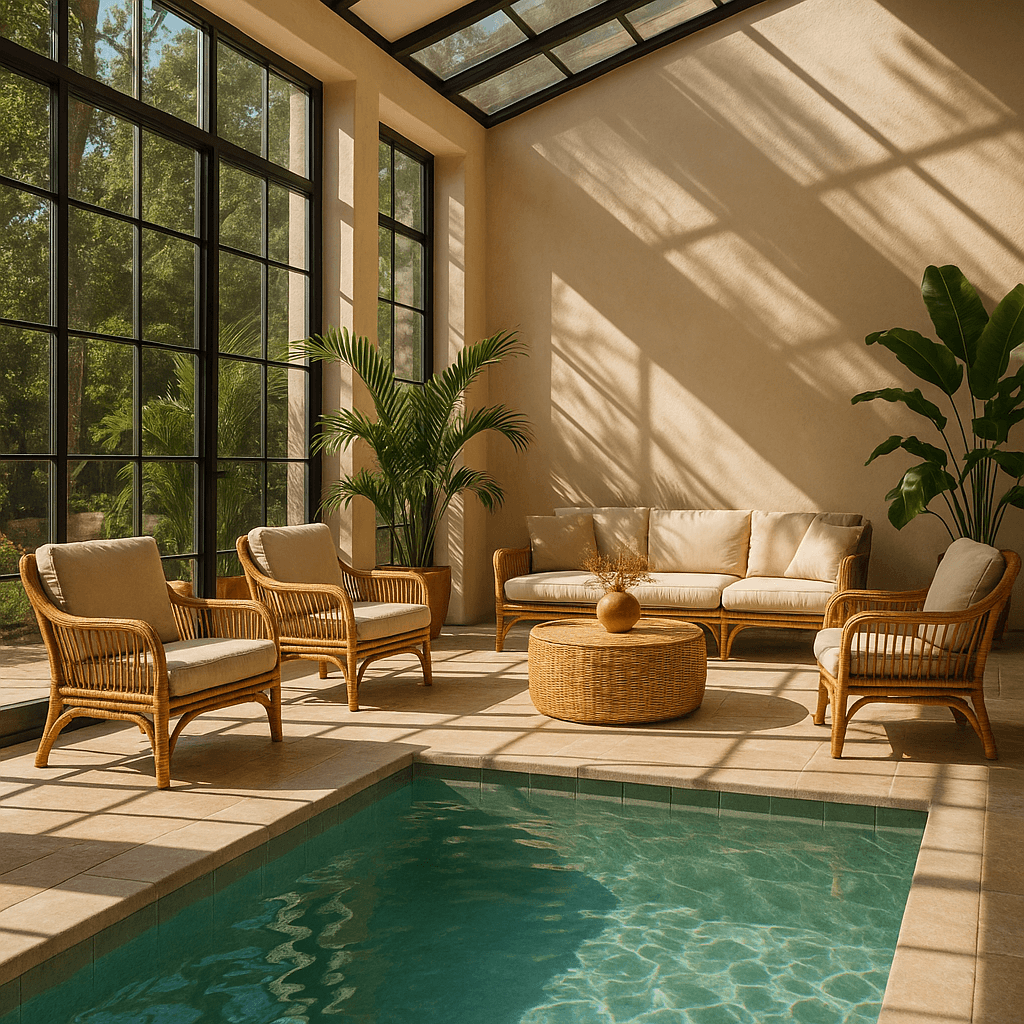 |
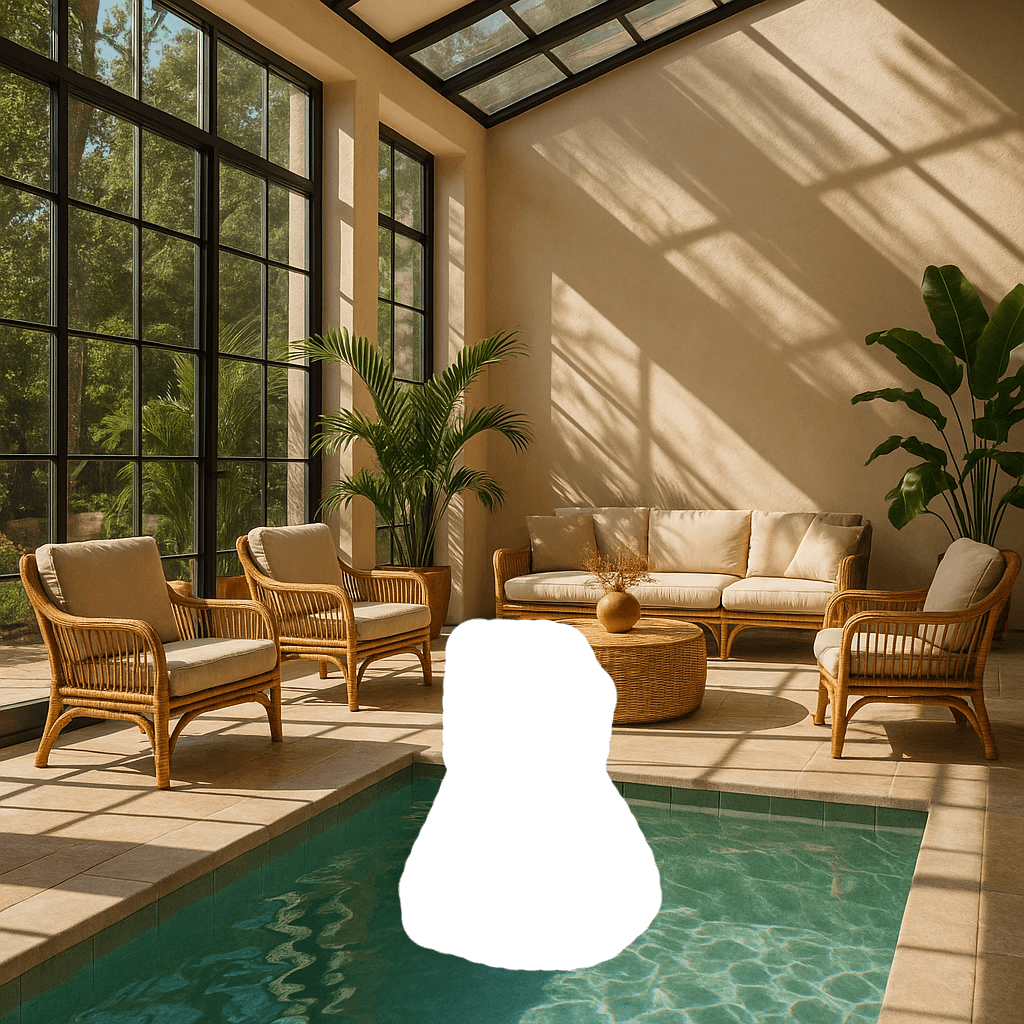 |
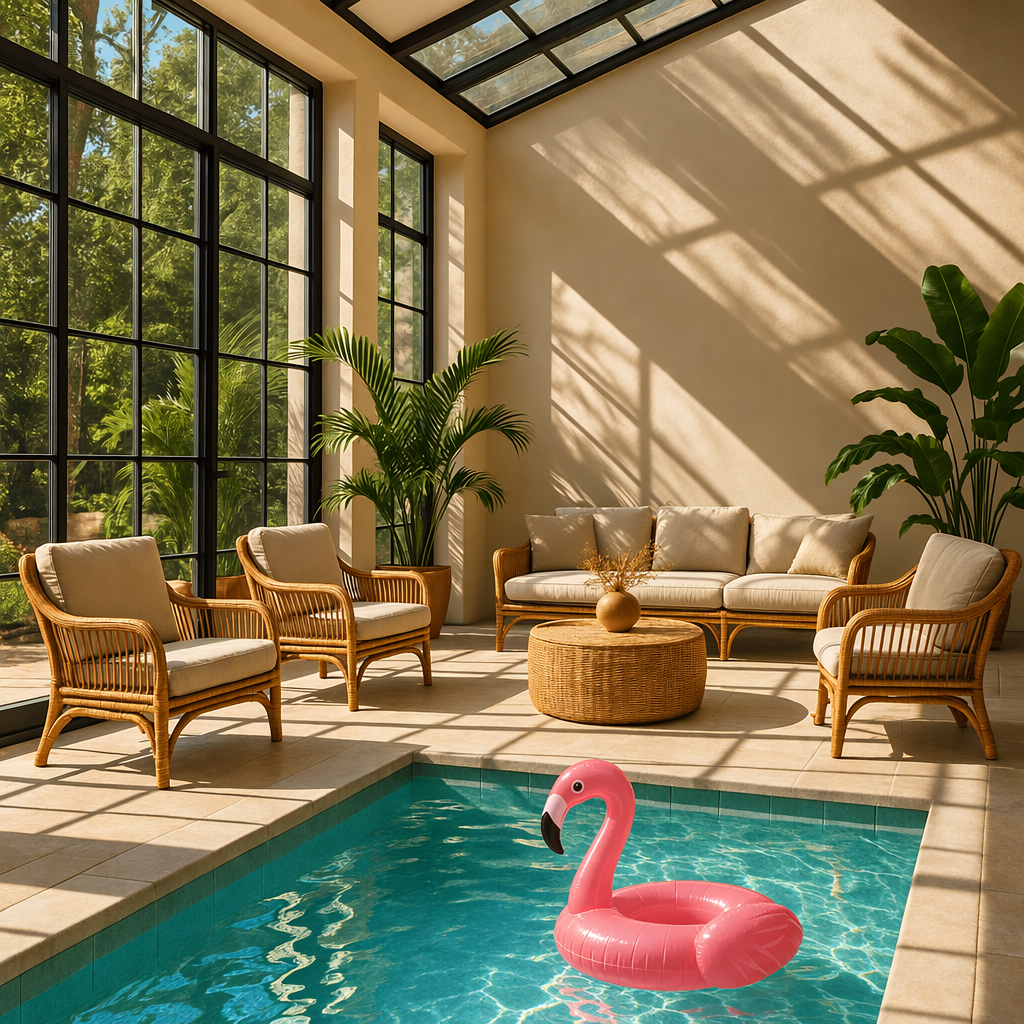 |
提示词:“阳光照耀的室内休息区,泳池里有一只火烈鸟。”
蒙版要求
待编辑图像和蒙版必须格式、尺寸相同,文件大小小于50MB。蒙版还必须有alpha通道;用图像编辑软件制作时,需保存该通道。也可以通过程序为黑白蒙版添加alpha通道。
来源示例79(python)
## [中文] 为黑白蒙版添加alpha通道并保存;先准备原例要求的输入文件与对应图像库,不会调用生成API。
from PIL import Image
from io import BytesIO

## 1. Load your black & white mask as a grayscale image
mask = Image.open("mask.png").convert("L")

## 2. Convert it to RGBA so it has space for an alpha channel
mask_rgba = mask.convert("RGBA")

## 3. Then use the mask itself to fill that alpha channel
mask_rgba.putalpha(mask)

## 4. Convert the mask into bytes
buf = BytesIO()
mask_rgba.save(buf, format="PNG")
mask_bytes = buf.getvalue()

## 5. Save the resulting file
img_path_mask_alpha = "mask_alpha.png"
with open(img_path_mask_alpha, "wb") as f:
    f.write(mask_bytes)
来源示例80(go)
// [中文] 为黑白蒙版添加alpha通道并保存;先准备原例要求的输入文件与对应图像库,不会调用生成API。
package main

import (
    "image"
    "image/color"
    "image/png"
    "os"
)

func main() {
    file, err := os.Open("mask.png")
    if err != nil {
        panic(err)
    }
    defer file.Close()

    mask, _, err := image.Decode(file)
    if err != nil {
        panic(err)
    }
    bounds := mask.Bounds()
    withAlpha := image.NewNRGBA(bounds)
    for y := bounds.Min.Y; y < bounds.Max.Y; y++ {
        for x := bounds.Min.X; x < bounds.Max.X; x++ {
            gray := color.GrayModel.Convert(mask.At(x, y)).(color.Gray)
            withAlpha.SetNRGBA(x, y, color.NRGBA{R: gray.Y, G: gray.Y, B: gray.Y, A: gray.Y})
        }
    }

    output, err := os.Create("mask_alpha.png")
    if err != nil {
        panic(err)
    }
    if err := png.Encode(output, withAlpha); err != nil {
        panic(err)
    }
    if err := output.Close(); err != nil {
        panic(err)
    }
}
自定义图像输出
可以设置:尺寸(例如1024x1024、1024x1536)、渲染质量(low、medium、high等)、文件格式、JPEG/WebP压缩设置(0—100%)、透明/不透明/自动背景。size、quality、background均支持由模型根据提示决定的auto。
尺寸与质量选项
Sunburst和Flare新增xhigh、max质量级别,默认均为auto;较早模型的最高质量选项为high。
| 设置 | 选项 |
|---|---|
| 推荐尺寸 | 1024x1024正方形、1536x1024横版、1024x1536竖版 |
| 质量 | low、medium、high、xhigh、max、auto |
两款模型也接受WIDTHxHEIGHT形式的自定义尺寸,例如1536x864。宽高都须为16的倍数,宽高比在1:3至3:1之间,单边不超过3840像素,总像素为655360至8294400(4K)。高于2560x1440的分辨率属于实验性范围。
透明背景显式使用background: transparent,格式为png或webp。快速草稿用low;最终素材应比较较高质量设置,在细节、延迟和费用间取舍。
输出格式
Images API返回Base64图像数据,默认png,也可请求jpeg或webp。后两者支持output_compression,范围0—100,例如50表示使用50%的压缩设置。jpeg通常比png更快,重视延迟时可优先考虑。
生成SVG输出
在POST /v1/images/generations中设置output_format: "svg"。需要可编辑路径、形状和颜色的图标、插画等图形适合SVG。
将n设为1。SVG不支持流式输出、部分图像、output_compression或prompt_rewriter。图像编辑端点不支持SVG输出,SVG也不能作为编辑的栅格图输入。
API先生成参考图,再据此制作SVG;quality控制该参考图。将data[0].b64_json按Base64解码,把得到的UTF-8 XML字节保存为.svg。返回文件是静态矢量内容,不支持脚本、外部资源或嵌入的栅格图。
下面Flare与Sunburst使用同一Field & Flour烘焙店标志提示词生成SVG。


生成动画GIF输出
在POST /v1/images/generations或POST /v1/images/edits中设置output_format: "gif"。提示词应描述主体、动作和预期循环;用静态参考图引导动画时,将参考图发送至编辑端点。
| 字段 | 取值 | 默认值 |
|---|---|---|
frame_count |
2—16帧 | 9 |
frame_duration_ms |
每帧20—2000毫秒,按10毫秒舍入 | 200 |
size |
auto,或宽高均为正数且为16倍数的WIDTHxHEIGHT |
auto |
size描述最终每帧尺寸。帧数、帧尺寸与动画数量必须满足模型尺寸限制和请求总像素预算。超限时减少frame_count、帧尺寸或n,或使用auto让API在限制内选尺寸。
响应包含完成的动画。对每项结果的b64_json按Base64解码并保存为.gif。GIF不支持流式输出、部分图像、自定义output_compression或prompt_rewriter;frame_count和frame_duration_ms只用于GIF输出。
以下Sunburst灯笼动画使用9帧、每帧200毫秒,小猴子在1.8秒后回到起始姿势。

局限
- 延迟:复杂提示可能需要最长约2分钟。
- 文字渲染:精确文字定位与清晰度仍可能有困难。
- 一致性:重复出现的角色或品牌元素在多次生成间可能不完全一致。
- 构图控制:结构化、对布局敏感的画面中,精确摆放元素仍可能有困难。
内容审核
所有提示与生成图像都按内容政策过滤。GPT Image的moderation支持auto和low:auto为默认的标准过滤,旨在限制部分可能不适龄的内容;low限制较少。
处理被阻止的请求与其他错误
像处理其他API错误一样,检查HTTP状态或SDK异常类型,记录请求ID,并通过错误代码指南区分认证、配额、限速、服务器错误。临时限速和服务器错误可以退避重试;配额错误、必须修改请求的用户错误不要自动原样重试。
部分可由用户修正的错误使用error.type: image_generation_user_error。不修改提示或输入图像时,不应自动重试;程序应使用稳定的error.code区分错误。
error.code: moderation_blocked可能附带可选的error.moderation_details对象:
来源示例81(json):以下保留协议载荷、配置、返回示意或语法定义;省略号及片段不代表完整可运行程序。
{
  "error": {
    "type": "image_generation_user_error",
    "code": "moderation_blocked",
    "moderation_details": {
      "moderation_stage": "input",
      "categories": ["harassment"]
    }
  }
}
该对象提供粗粒度调试信息,不暴露内部分类标签或分数。moderation_stage可以是:input(提示或请求输入被拦截)、output(生成图像或下游输出审核被拦截)、unknown(难以确定来源时的少见回退值)。categories提供harassment(骚扰)、self-harm(自我伤害)、sexual(性内容)、violence(暴力)等公开类别。
多数应用对终端用户保持通用提示,把详情用于开发日志、支持工作流、分析及适度的修正建议。
来源示例82(javascript)
程序中的自然语言译释14:
制作带侮辱性文案、羞辱同事的海报。此为官方用于演示审核拦截的失败请求,不是建议执行的任务。
程序中的自然语言译释15:
请求未满足安全要求,因此无法完成。
程序中的自然语言译释16:
尝试移除辱骂或针对性语言,改为描述中性的视觉细节。
程序中的自然语言译释17:
修改提示或输入图像后,再次提交请求。
程序中的自然语言译释18:
生成结果被安全检查阻止,请修改提示后重新生成。
程序中的自然语言译释22:
图像生成被阻止。
// [中文] 捕获官方示例中的审核阻止错误,依据稳定错误代码与可选审核详情给出修正提示;不自动原样重试被阻止请求。
import OpenAI from "openai";

const openai = new OpenAI();

try {
  // The same error handling pattern applies to image generation requests,
  // image edits, and Responses API tool calls that generate images.
  await openai.images.generate({
    model: "gpt-image-2.5-sunburst",
    prompt: "Create a poster humiliating my coworker with insulting captions",
  });
} catch (error) {
  if (error?.code !== "moderation_blocked") {
    throw error;
  }

  const moderationDetails = error.error?.moderation_details;
  const categories = moderationDetails?.categories ?? [];
  const stage = moderationDetails?.moderation_stage;

  let hint =
    "This request could not be completed because it did not meet safety requirements.";

  if (categories.includes("harassment")) {
    hint =
      "Try removing abusive or targeting language and focus on neutral visual details instead.";
  } else if (stage === "input") {
    hint =
      "Try revising the prompt or input images and submit the request again.";
  } else if (stage === "output") {
    hint =
      "The generated result was blocked by a safety check. Try changing the prompt and generating again.";
  }

  console.error("Image generation blocked", {
    request_id: error?.requestID,
    code: error?.code,
    moderation_details: moderationDetails,
  });

  console.log(hint);
}
来源示例83(python)
本段复用的中文释义:译释14、译释15、译释16、译释17、译释18、译释22。
## [中文] 捕获官方示例中的审核阻止错误,依据稳定错误代码与可选审核详情给出修正提示;不自动原样重试被阻止请求。
import openai
from openai import OpenAI

client = OpenAI()

try:
    # The same error handling pattern applies to image generation requests,
    # image edits, and Responses API tool calls that generate images.
    client.images.generate(
        model="gpt-image-2.5-sunburst",
        prompt="Create a poster humiliating my coworker with insulting captions",
    )
## [中文] 捕获请求参数或内容导致的400错误,再检查错误代码。
except openai.BadRequestError as error:
    if error.code != "moderation_blocked":
        raise

    error_body = error.body if isinstance(error.body, dict) else {}
    moderation_details = error_body.get("moderation_details") or {}
    categories = moderation_details.get("categories") or []
    stage = moderation_details.get("moderation_stage")

    hint = "This request could not be completed because it did not meet safety requirements."

    if "harassment" in categories:
        hint = "Try removing abusive or targeting language and focus on neutral visual details instead."
    elif stage == "input":
        hint = "Try revising the prompt or input images and submit the request again."
    elif stage == "output":
        hint = "The generated result was blocked by a safety check. Try changing the prompt and generating again."

    print(
        "Image generation blocked",
        {
            "request_id": error.request_id,
            "code": error.code,
            "moderation_details": moderation_details,
        },
    )

    print(hint)
来源示例84(go)
本段复用的中文释义:译释14、译释15、译释16、译释17、译释18、译释22。
// [中文] 捕获官方示例中的审核阻止错误,依据稳定错误代码与可选审核详情给出修正提示;不自动原样重试被阻止请求。
package main

import (
    "context"
    "encoding/json"
    "errors"
    "fmt"
    "slices"

    "github.com/openai/openai-go/v3"
)

func main() {
    client := openai.NewClient()
    _, err := client.Images.Generate(context.Background(), openai.ImageGenerateParams{
        Model:  openai.ImageModel("gpt-image-2.5-sunburst"),
        Prompt: "Create a poster humiliating my coworker with insulting captions",
    })
    if err == nil {
        return
    }

    var apiError *openai.Error
    if !errors.As(err, &apiError) || apiError.Code != "moderation_blocked" {
        panic(err)
    }

    var body struct {
        ModerationDetails struct {
            Categories      []string `json:"categories"`
            ModerationStage string   `json:"moderation_stage"`
        } `json:"moderation_details"`
    }
    if err := json.Unmarshal([]byte(apiError.RawJSON()), &body); err != nil {
        panic(err)
    }

    hint := "This request could not be completed because it did not meet safety requirements."
    if slices.Contains(body.ModerationDetails.Categories, "harassment") {
        hint = "Try removing abusive or targeting language and focus on neutral visual details instead."
    } else if body.ModerationDetails.ModerationStage == "input" {
        hint = "Try revising the prompt or input images and submit the request again."
    } else if body.ModerationDetails.ModerationStage == "output" {
        hint = "The generated result was blocked by a safety check. Try changing the prompt and generating again."
    }

    fmt.Printf("Image generation blocked (%s): %s\n", apiError.Code, hint)
}
来源示例85(java)
程序中的自然语言译释19:
该请求不符合安全要求。
程序中的自然语言译释20:
移除辱骂或针对性语言,专注中性视觉细节。
程序中的自然语言译释21:
修改提示或输入图像,再次提交。
本段复用的中文释义:译释14、译释22。
// [中文] 捕获官方示例中的审核阻止错误,依据稳定错误代码与可选审核详情给出修正提示;不自动原样重试被阻止请求。
// [中文] 原例是API片段,使用前需已有client以及适当外层程序;本地仅保留源代码并检查注释,未独立编译。
import com.openai.client.OpenAIClient;
import com.openai.client.okhttp.OpenAIOkHttpClient;
import com.openai.errors.BadRequestException;
import com.openai.models.images.ImageGenerateParams;
import java.util.List;
import java.util.Map;

try {
  var images =
      client
          .images()
          .generate(
              ImageGenerateParams.builder()
                  .model("gpt-image-2.5-sunburst")
                  .prompt("Create a poster humiliating my coworker with insulting captions")
                  .build());

  System.out.println(images.data().orElseThrow().get(0).b64Json().orElseThrow());
} catch (BadRequestException error) {
  if (!error.code().orElse("").equals("moderation_blocked")) {
    throw error;
  }
  Map<?, ?> body = error.body().convert(Map.class);
  Object detailsValue = body.get("moderation_details");
  Map<?, ?> details = detailsValue instanceof Map<?, ?> values ? values : Map.of();
  Object categories = details.get("categories");
  Object stage = details.get("moderation_stage");

  String hint = "This request did not meet safety requirements.";
  if (categories instanceof List<?> values && values.contains("harassment")) {
    hint = "Remove abusive or targeting language and focus on neutral visual details.";
  } else if ("input".equals(stage)) {
    hint = "Revise the prompt or input images, then submit the request again.";
  } else if ("output".equals(stage)) {
    hint = "Change the prompt and generate again; the generated result was blocked.";
  }
  System.err.println("Image generation blocked (" + error.code().orElseThrow() + "): " + hint);
}
来源示例86(ruby)
本段复用的中文释义:译释14、译释19、译释20、译释21、译释22。
## [中文] 同时兼容外层错误对象和嵌套error对象,再读取审核类别与阶段;不自动原样重试被阻止的请求。
require "openai"

client = OpenAI::Client.new
begin
  client.images.generate(
    model: "gpt-image-2.5-sunburst",
    prompt: "Create a poster humiliating my coworker with insulting captions"
  )
rescue OpenAI::Errors::BadRequestError => error
  raise unless error.code == "moderation_blocked"

  body = Hash.try_convert(error.body) || {}
  body = Hash.try_convert(body[:error] || body["error"]) || body
  moderation_details = body[:moderation_details] || body["moderation_details"] || {}
  categories = moderation_details[:categories] || moderation_details["categories"] || []
  stage = moderation_details[:moderation_stage] || moderation_details["moderation_stage"]

  hint = "This request did not meet safety requirements."
  if categories.include?("harassment")
    hint = "Remove abusive or targeting language and focus on neutral visual details."
  elsif stage == "input"
    hint = "Revise the prompt or input images, then submit the request again."
  elsif stage == "output"
    hint = "Change the prompt and generate again; the generated result was blocked."
  end

  warn("Image generation blocked (#{error.code}): #{hint}")
end
支持的模型
Responses中的gpt-5及更新主模型通常应支持图像生成工具,仍应到具体模型详情确认所选模型是否支持,不将该概括视为每个变体的保证。
成本与延迟
GPT Image 2.6费用
图像输出按每百万可计费词元30美元计费。单张图像输出费用可使用官方计算器估算;文本、图像输入等每百万词元费率见图像生成定价。
标注引导编辑使用普通编辑的词元费率,不额外收费。SVG输出同时包含图像模型生成参考图的费用,以及制作SVG的创作模型词元费用;总额取决于两种模型各自使用的词元数量。
GPT Image 2.5费用
Responses请求除图像生成费用,还包括主模型的词元用量。两款GPT Image 2.5的每百万词元费率相同:图像输入8美元、缓存图像输入2美元、图像输出30美元、文本输入5美元、缓存文本输入1.25美元。参见定价。
通过响应usage测量实际提示、尺寸、质量的词元消耗。相同费率不表示每张图费用相同,模型与质量设置可能改变词元消耗。旧模型示例见较早的GPT Image模型。
缓存输入定价
GPT Image 2和2.5的缓存输入定价仅适用于Responses图像工具,不适用于直接Images API请求,包括/v1/images/edits。缓存输入会反映在账单中,但缓存词元数不出现在Responses输出里,不能用响应usage验证这些缓存命中。
计算费用
选择模型、质量和尺寸以估算输出词元及输出费用。GPT Image 2.6与2.5的Sunburst/Flare可选low、medium、high、xhigh、max,GPT Image 2可选low、medium、high。模型在同名质量下可能消耗不同词元,但图像输出词元单价相同。估算时使用明确质量和尺寸;auto取决于实际生成图像。
官方此处是交互计算组件,字段为模型、质量、尺寸,输出为估计输出词元与图像输出费用。本地稿保留字段说明、费率和静态示例表,未复刻该组件,交互估算可使用官方计算区。
部分图像费用
使用流式生成的partial_images时,每幅部分图额外产生100个图像输出词元。
较早的GPT Image模型
以下只针对较早模型,不是Sunburst或Flare的参数说明。新集成使用上文GPT Image 2.5。
GPT Image 2设置与输入保真度
gpt-image-2的size可使用符合约束的分辨率,正方形通常生成最快。常见尺寸包括1024x1024、1536x1024、1024x1536、2048x2048(2K正方形)、2048x1152(2K横版)、3840x2160(4K横版)、2160x3840(4K竖版),以及默认auto。单边最多3840,宽高为16倍数,长短边比最多3:1,总像素655360—8294400;质量为low、medium、high或默认auto。
图像输入保真度
input_fidelity控制编辑或参考图工作流中保留输入细节的程度。gpt-image-2总以高保真处理所有输入图,因此应省略该参数,API不允许改变它。带参考图的编辑可能消耗更多输入词元,费用含义参见视觉成本。
旧模型定价示例
早于gpt-image-2的模型
这些模型先生成专用图像词元,延迟与费用随渲染所需词元增长;尺寸更大、质量更高通常需要更多词元。
| 质量 | 1024×1024正方形 | 1024×1536竖版 | 1536×1024横版 |
|---|---|---|---|
| low | 272 | 408 | 400 |
| medium | 1056 | 1584 | 1568 |
| high | 4160 | 6240 | 6208 |
还须计入提示文本与编辑输入图的输入词元。GPT Image 2始终以高保真处理输入,带参考图时输入词元可能更多。当前价格见定价页。总费用由文本输入、编辑时的图像输入、图像输出三项相加。
历史输出费用
官方计算器估算GPT Image请求费用。GPT Image 2支持数千种有效分辨率,下表仅为与较早模型比较,列出相同的三种尺寸。GPT Image 1.5、1、1 Mini保留旧的逐图输出价格示例;总成本仍须加入文本与图像输入。gpt-image-1已于2026年10月23日关闭;下表中该模型的价格仅为历史比较保留,替代模型见弃用公告。
相同质量下,较大的非正方形有时可能比更小的或正方形图像使用更少输出词元。
| 模型 | 质量 | 1024×1024 | 1024×1536 | 1536×1024 |
|---|---|---|---|---|
| GPT Image 2 | low | $0.006 | $0.005 | $0.005 |
| GPT Image 2 | medium | $0.053 | $0.041 | $0.041 |
| GPT Image 2 | high | $0.211 | $0.165 | $0.165 |
| GPT Image 1.5 | low | $0.009 | $0.013 | $0.013 |
| GPT Image 1.5 | medium | $0.034 | $0.05 | $0.05 |
| GPT Image 1.5 | high | $0.133 | $0.2 | $0.2 |
| GPT Image 1 | low | $0.011 | $0.016 | $0.016 |
| GPT Image 1 | medium | $0.042 | $0.063 | $0.063 |
| GPT Image 1 | high | $0.167 | $0.25 | $0.25 |
| GPT Image 1 Mini | low | $0.005 | $0.006 | $0.006 |
| GPT Image 1 Mini | medium | $0.011 | $0.015 | $0.015 |
| GPT Image 1 Mini | high | $0.036 | $0.052 | $0.052 |
以上保留来源页示例值,不替代当前报价或模型生命周期说明。
















更多建议: