
 TRAE-AI编程


Android 解析JSON数据
2018-02-18 17:19 更新
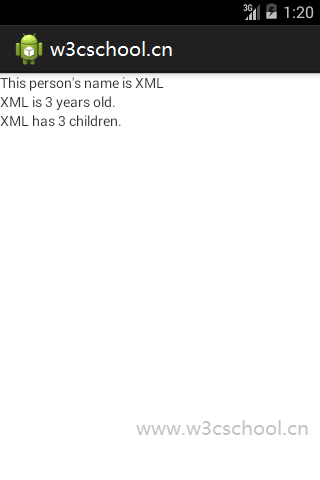
下面的代码显示了如何解析JSON数据。
例子
\res\layout\main.xml
<?xml version="1.0" encoding="utf-8"?>
<LinearLayout xmlns:android="http://schemas.android.com/apk/res/android"
  android:layout_width="match_parent"
  android:layout_height="match_parent"
  android:orientation="vertical">
  <TextView
    android:id="@+id/line1"
    android:layout_width="match_parent"
    android:layout_height="wrap_content"
  />
  <TextView
    android:id="@+id/line2"
    android:layout_width="match_parent"
    android:layout_height="wrap_content"
  />
  <TextView
    android:id="@+id/line3"
    android:layout_width="match_parent"
    android:layout_height="wrap_content"
  />
</LinearLayout>
主Activity Java代码
package cn.w3cschool.myapplication3.app;
//www.w3cschool.cn

import android.app.Activity;
import android.os.Bundle;
import android.widget.TextView;
import org.json.JSONObject;
import org.json.JSONException;

public class MainActivity extends Activity {
    private static final String JSON_STRING =
            "{"person":{"name":"XML","age":3,"children":["
                    + "{"name":"CSS","age":5},"
                    + "{"name":"HTML","age":7},"
                    + "{"name":"Javascript","age":9}"
                    + "] } }";

    @Override
    public void onCreate(Bundle savedInstanceState) {
        super.onCreate(savedInstanceState);
        setContentView(R.layout.activity_main);

        TextView line1 = (TextView)findViewById(R.id.line1);
        TextView line2 = (TextView)findViewById(R.id.line2);
        TextView line3 = (TextView)findViewById(R.id.line3);
        try {
            JSONObject person = (new JSONObject(JSON_STRING)).getJSONObject("person");
            String name = person.getString("name");
            line1.setText("This person"s name is " + name);
            line2.setText(name + " is " + person.getInt("age") + " years old.");
            line3.setText(name + " has " + person.getJSONArray("children").length()
                    + " children.");
        } catch (JSONException e) {
            e.printStackTrace();
        }
    }
}
以上内容是否对您有帮助:
















更多建议: