
 免费 AI IDE


Struts2 param标签
2018-12-27 07:39 更新
param标签可用于参数化其他标签。include标签和bean标签是这种标签的示例。让我们用学习bean标签的例子来学习param标签。
创建action类
package cn.w3cschool.struts2;

public class HelloWorldAction{
   private String name;

   public String execute() throws Exception {
      return "success";
   }

   public String getName() {
      return name;
   }

   public void setName(String name) {
      this.name = name;
   }
}
创建视图
让我们创建包含以下内容的HelloWorld.jsp:<%@ page contentType="text/html; charset=UTF-8" %>
<%@ taglib prefix="s" uri="/struts-tags" %>
<html>
<head>
<title>Hello World</title>
</head>
<body>
<s:bean name="org.apache.struts2.util.Counter" var="counter">
<s:param name="first" value="20"/>
<s:param name="last" value="25" />
</s:bean>
<ul>
<s:iterator value="#counter">
<li><s:property /></li>
</s:iterator>
</ul>
</body>
</html>接下来创建有以下内容的employees.jsp:<%@ page contentType="text/html; charset=UTF-8"%> <%@ taglib prefix="s" uri="/struts-tags"%> <html> <head> <title>Employees</title> </head> <body> <p>An example of the include tag: </p> <s:include value="HelloWorld.jsp"/> </body> </html>
配置文件
你的struts.xml应该如下所示:<?xml version="1.0" encoding="UTF-8"?>
<!DOCTYPE struts PUBLIC
"-//Apache Software Foundation//DTD Struts Configuration 2.0//EN"
"http://struts.apache.org/dtds/struts-2.0.dtd">
<struts>
<constant name="struts.devMode" value="true" />
<package name="helloworld" extends="struts-default">
<action name="hello"
class="cn.w3cschool.struts2.HelloWorldAction"
method="execute">
<result name="success">/HelloWorld.jsp</result>
</action>
<action name="employee"
class="cn.w3cschool.struts2.Employee"
method="execute">
<result name="success">/employee.jsp</result>
</action>
</package>
</struts>你的web.xml应该如下所示:<?xml version="1.0" encoding="UTF-8"?>
<web-app xmlns:xsi="http://www.w3.org/2001/XMLSchema-instance"
xmlns="http://java.sun.com/xml/ns/javaee"
xmlns:web="http://java.sun.com/xml/ns/javaee/web-app_2_5.xsd"
xsi:schemaLocation="http://java.sun.com/xml/ns/javaee
http://java.sun.com/xml/ns/javaee/web-app_3_0.xsd"
id="WebApp_ID" version="3.0">
<display-name>Struts 2</display-name>
<welcome-file-list>
<welcome-file>index.jsp</welcome-file>
</welcome-file-list>
<filter>
<filter-name>struts2</filter-name>
<filter-class>
org.apache.struts2.dispatcher.FilterDispatcher
</filter-class>
</filter>
<filter-mapping>
<filter-name>struts2</filter-name>
<url-pattern>/*</url-pattern>
</filter-mapping>
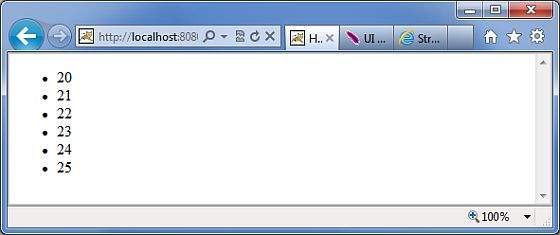
</web-app>右键单击项目名称,然后单击“Export”> “WAR File”以创建WAR文件。然后在Tomcat的webapps目录中部署WAR文件。最后,启动Tomcat服务器并尝试访问URL http://localhost:8080/HelloWorldStruts2/hello.action,将显示以下界面:在这个例子中,我们实例化一个org.apache.struts2.util.Counter bean的新实例。然后我们将第一个属性设置为20,最后一个属性设置为25,这意味着counter的值为20、21、22、23、24和25。我们给bean设定一个名字“counter”,struts bean标签实例化bean并将其放在值栈中。现在可以使用迭代器来处理Counter bean并打印出counter的值。
以上内容是否对您有帮助:
















更多建议: